

This guide is based on Bambu Lab specifications and documentation checked in July 2026. FilamentPicks has not independently lab-tested every nozzle-and-material combination. Some links on this page are affiliate links: if you buy through them, FilamentPicks may earn a commission at no extra cost to you. See the Affiliate Disclosure.
X2D nozzle compatibility is broader than the included 0.4 mm setup suggests. Bambu Lab officially lists 0.2, 0.4, 0.6 and 0.8 mm diameters for the X2D. The important limitation is easy to miss: the current dual-nozzle function supports two nozzles of the same diameter, so a mixed 0.2 + 0.6 mm production workflow is not an officially supported slicer setup.
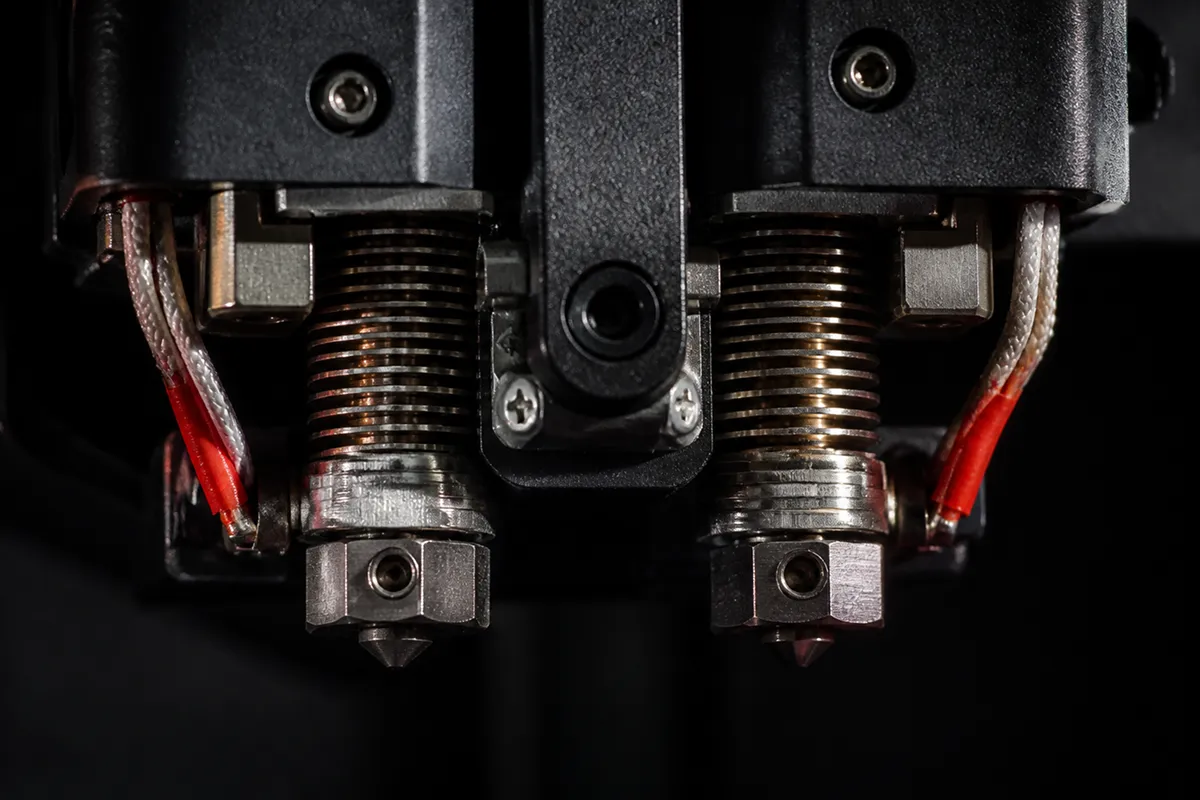
X2D Nozzle Compatibility at a Glance
| Nozzle | Best for | Avoid or reconsider | Our recommendation |
|---|---|---|---|
| 0.2 mm | Miniatures, small lettering, fine surface detail | Filled filaments, long high-flow jobs | Specialist nozzle for non-abrasive materials |
| 0.4 mm | Everyday PLA, PETG, ABS, ASA and balanced detail | Coarse CF/GF blends when the manufacturer recommends 0.6 mm | Best default for most owners |
| 0.6 mm | Functional parts, CF/GF materials, faster extrusion | Tiny text and highly detailed miniatures | Best second nozzle to own |
| 0.8 mm | Large prototypes, vases, thick walls and maximum throughput | Small features, thin walls, detailed multicolor graphics | Use only when geometry suits coarse extrusion |
👉 See also: how to reduce purge waste on the Bambu X2D — modes and setup.
What Each X2D Nozzle Size Actually Changes
0.2 mm: Miniatures and Tiny Text
A 0.2 mm nozzle can produce narrower lines and smaller features, which helps with model faces, embossed labels and fine decorative work. The tradeoffs are substantial: print times rise, pressure increases and tiny particles can clog the bore.
Use clean, non-abrasive PLA or PETG. Avoid glow, wood, carbon-fiber, glass-fiber and metal-filled formulations. A carefully tuned 0.2 mm profile is a precision tool, not an everyday default.
0.4 mm: The Correct Default
The included 0.4 mm size balances surface quality, flow and slicer support. It handles the majority of unfilled materials without forcing major compromises and is the easiest diameter for dual-material support work.
Stay with 0.4 mm until a specific project exposes a limit. Most owners gain more from drying, flow calibration and correct support settings than from changing nozzle diameter.
0.6 mm: Functional and Abrasive Work
The larger bore reduces clog risk with short-fiber composite materials and can extrude thicker lines for stronger, faster functional prints. It is the sensible choice for PLA-CF, PETG-CF, PA-CF or GF materials when the filament manufacturer recommends 0.6 mm.
Use a hardened nozzle for abrasive additives. A larger diameter does not remove the need for drying, correct maximum volumetric flow or a suitable build plate.
0.8 mm: Large Parts Only
A 0.8 mm nozzle is useful when wall thickness and production speed matter more than small detail. It can reduce the number of perimeters required for a thick shell and move large volumes of material efficiently.
The part still needs enough hotend flow. Do not assume a larger nozzle automatically permits unlimited speed; layer width, height and volumetric demand must stay inside the hotend and filament limits.
The Same-Size Dual-Nozzle Rule
The rule matters because a slicer must coordinate line widths, purging, pressure behavior and overlaps across both tools. Community workarounds may exist, but they require custom tuning and are not a stable recommendation for a general audience.
You can still combine different materials when the X2D compatibility chart allows them. For example, the same 0.4 mm diameter can be used for a model material and a compatible support interface. Diameter and material are separate decisions.
Best X2D Nozzle by Material
Material choice changes the practical limits of X2D nozzle compatibility, especially when fibers, flexible polymers or support materials raise feed resistance.
| Material | Diameter | Nozzle material | Toolhead note |
|---|---|---|---|
| PLA / PLA+ | 0.4 mm default; 0.2 for detail | Standard or hardened | Either compatible toolhead under official pairing rules |
| PETG | 0.4 mm default; 0.6 for throughput | Standard or hardened | Dry before judging stringing |
| ABS / ASA | 0.4 or 0.6 mm | Standard or hardened | Use enclosure and ventilation |
| TPU | 0.4 or 0.6 mm | Standard or hardened | Bambu specifies the main nozzle; auxiliary feed resistance is higher |
| PLA-CF / PETG-CF | 0.6 mm preferred | Hardened | Follow filament-maker particle-size guidance |
| PA-CF / PA-GF | 0.6 mm preferred | Hardened | Drying and chamber control are mandatory |
| Glow / wood / metal-filled | 0.6 mm safer | Hardened for abrasive blends | Check each manufacturer’s nozzle requirement |
Before loading an unfamiliar material, cross-check our X2D filament compatibility guide. For product-specific recommendations, see the best filament for Bambu X2D.
Stainless vs Hardened: Diameter Is Only Half the Choice
Plain PLA, PETG, ABS, ASA and TPU do not normally require a hardened nozzle. Filled materials are different. Carbon fiber, glass fiber, glow particles and metallic or mineral additives wear a softer nozzle gradually, changing the bore and reducing dimensional consistency.
If you rotate between basic and abrasive materials, dedicating a hardened 0.6 mm hotend to composites is simpler than repeatedly swapping one assembly. Our hardened vs stainless nozzle guide explains the wear tradeoff in detail.
X2D Nozzle Change Checklist
Use this checklist whenever an X2D nozzle compatibility decision leads to a hotend swap or a new paired-toolhead configuration.
- Confirm that both toolheads use the same diameter when the dual-nozzle function is required.
- Select the matching printer/nozzle profile in Bambu Studio before slicing.
- Check that the filament is approved for that diameter and nozzle material.
- Run flow calibration after changing diameter, material family or hotend type.
- Inspect the first layer and purge behavior before a long dual-material print.
- Keep removed hotends labeled by diameter and material history.
Frequently Asked Questions
These short answers cover the X2D nozzle compatibility details most likely to affect a purchase or print profile.
What nozzle sizes does the Bambu X2D support?
Bambu Lab lists 0.2, 0.4, 0.6 and 0.8 mm nozzle diameters. The included diameter is 0.4 mm.
Can the X2D use two different nozzle sizes at the same time?
Not in the officially supported dual-nozzle workflow at the time of writing. Bambu’s current documentation states that the dual-nozzle function supports nozzles of the same size.
What is the best nozzle for carbon-fiber filament?
A hardened 0.6 mm nozzle is the safest general recommendation because it resists wear and lowers clog risk. Always follow the individual filament manufacturer’s minimum diameter.
Can TPU print through the X2D auxiliary nozzle?
Bambu’s TPU guide says TPU should use the main nozzle because the right auxiliary extruder has higher feed resistance.
Is a 0.8 mm nozzle always faster?
No. It can reduce line count, but the requested volumetric flow may exceed what the hotend or filament can melt consistently. Tune line width, layer height and flow together.
Sources: Bambu Lab X2D specifications; X2D filament compatibility guide; Bambu nozzle introduction; Bambu H2/P2S/X2D hotend documentation; X2D TPU printing guide. Specifications checked July 2026.