

Research-based guide. Our picks are built from manufacturer specifications and community-verified user reports across the Bambu Lab ecosystem — not paid placements.
The best PC filament for Bambu Lab gives you the strongest, most heat-resistant parts a desktop printer can realistically produce — but polycarbonate demands an enclosed machine and a bit of respect. On an enclosed Bambu like the X1C, P1S, H2S or H2D, modern PC blends are very printable.
Below are the top polycarbonate picks for 2026, drawn from manufacturer specifications and community-verified reports, with the print settings, drying and enclosure tips that separate clean PC prints from warped, delaminated failures.
In this guide
Best PC Filament for Bambu Lab at a Glance
| Use case | Top pick | Why |
|---|---|---|
| Easiest PC overall | Polymaker PolyMax PC | Prints ~250–270°C, low warping, BambuStudio profile |
| Best on Bambu hardware | Bambu PC | Pre-tuned RFID profile, most plug-and-play |
| Best consistency | Prusament PC Blend | Tight QC, prints well on enclosed Bambu |
| Maximum stiffness | Bambu PC-CF / Polymaker PC-CF | Carbon-reinforced (needs hardened nozzle) |
Why PC Needs an Enclosed Bambu
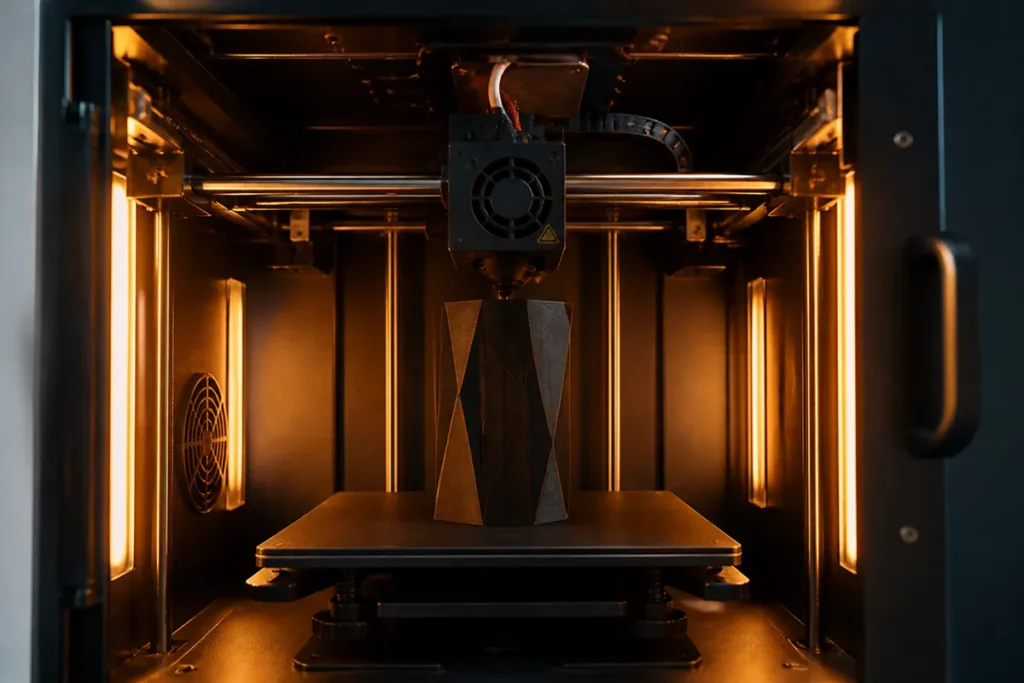
Polycarbonate has high thermal shrinkage, so it warps aggressively if the chamber isn’t warm and stable.
For PC blends, the passive enclosure on a P1S or X1C is usually enough for small-to-medium parts; pure PC benefits from active chamber heat. Printing PC on an open-frame printer almost always ends in warping or delamination.
You don’t need a hardened nozzle for plain PC — but PC-CF (carbon-filled) is abrasive and does require one. If you’re after carbon-reinforced stiffness, see our carbon fiber filament guide too.
What to Look for in the Best PC Filament for Bambu Lab
Not every spool labelled “PC” behaves the same on a Bambu Lab printer. Before you buy, weigh these three things.
Printability vs. pure strength
Straight polycarbonate is incredibly strong but fussy; PC blends like PolyMax PC trade a little heat resistance for far easier, warp-free printing.
For most makers the blend is the smarter pick, and it’s why blends dominate our list of the best PC filament for Bambu Lab.
Heat deflection temperature
If your part lives in a hot car or near a motor, check the HDT — good PC handles roughly 110–130°C, where PLA gives up around 55°C. That heat resistance is the main reason to reach for polycarbonate at all.
Moisture sensitivity
PC is thirsty. Even a fresh spool prints better after a few hours in a dryer, and a damp spool causes popping, stringing and weak layers. Budget for a filament dryer or a sealed dry box if you print PC often.
The Best PC Filaments for Bambu Lab
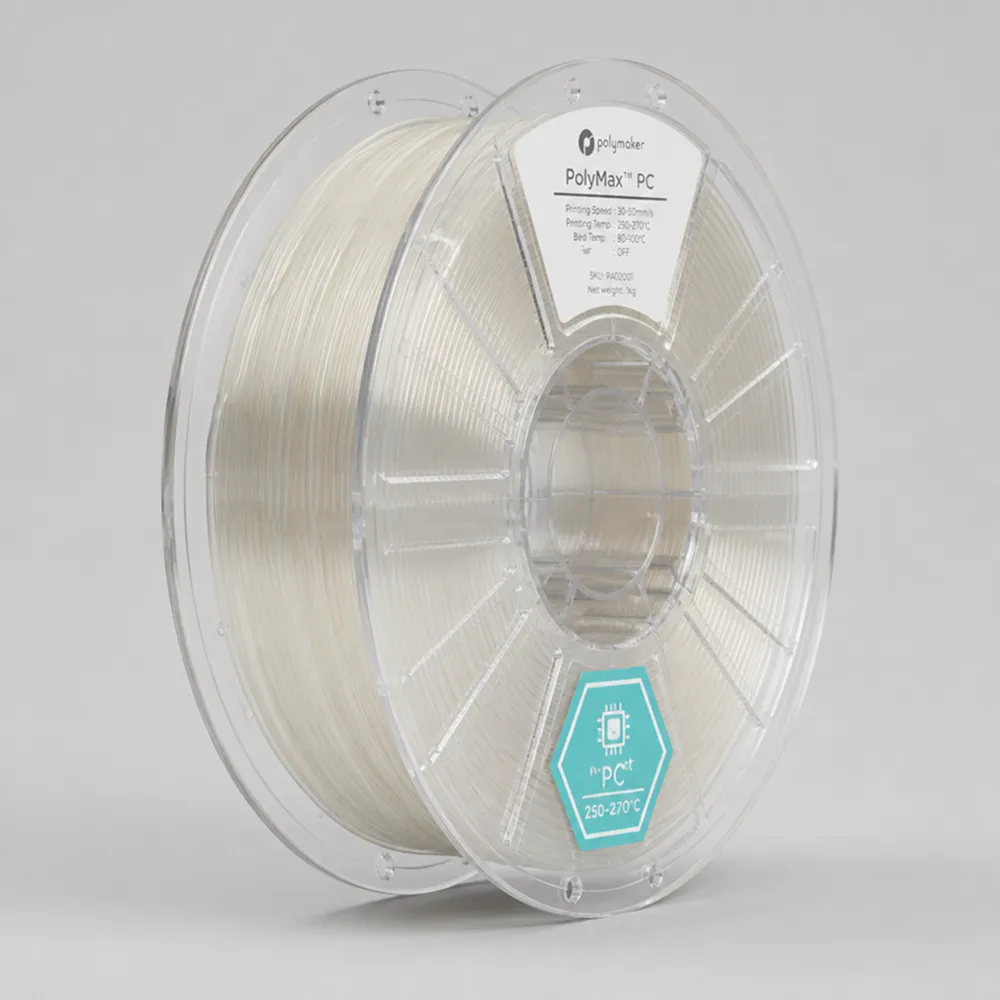
Polymaker PolyMax PC — Best Overall
PolyMax PC is engineered to fix traditional PC’s printability problems. It runs around 250–270°C with a 90–105°C bed and the part fan off, sticks well to PEI, and warps far less than pure PC. BambuStudio profiles are available, making it the easiest entry into polycarbonate.
Bambu PC — Most Plug-and-Play
Bambu’s own PC is the most reliable starting point on Bambu printers thanks to its pre-tuned RFID profile. Use a smooth PEI plate at 110°C+ and keep the chamber closed and hot.
Prusament PC Blend — Best Consistency
Prusament’s tight quality control carries over to its PC Blend, which prints reliably on enclosed Bambu printers as well as Prusa machines. A great choice when dimensional consistency matters.
PC Print Settings for Bambu Lab
These are community-verified starting points — always begin with the manufacturer’s BambuStudio profile and adjust from there.
| Setting | PC Blend (PolyMax) | Notes |
|---|---|---|
| Nozzle | 250–270°C | Pure PC may need 270–300°C |
| Bed | 90–110°C | Smooth PEI; Magigoo PC helps adhesion |
| Part fan | Off | Cooling kills PC layer adhesion |
| Brim | 10 mm+ | Primary defense against warping |
| Drying | 80–90°C, 6h+ | PC is hygroscopic — dry before every print |
| Cooldown | Slow, door closed | Avoid thermal shock and warping |
Drying and Handling PC
PC absorbs moisture readily, and wet PC prints with bubbling, stringing and weak layers. Dry it at 80–90°C for at least 6 hours before printing and keep it in a sealed dry box afterward. A capable dryer is essential — see our best filament dryer guide.
Where to Buy
The community-verified polycarbonate picks for enclosed Bambu printers. Confirm current pricing before purchasing.
Use code BALUTAVLAD for 15% off your first Polymaker order.
Frequently Asked Questions
Can a Bambu P1S print polycarbonate?
Yes. The P1S’s enclosure handles PC blends like PolyMax PC well for small-to-medium parts. Keep the fan off, use a 10 mm brim, dry the filament, and let parts cool slowly inside the closed chamber.
Do I need a hardened nozzle for PC?
Not for plain PC or PC blends. You only need a hardened nozzle for abrasive carbon-filled grades like PC-CF.
Why is my PC warping or cracking?
Usually a cold or open chamber, the part fan running, no brim, or wet filament. Close the enclosure, turn the fan off, add a brim, and dry the PC thoroughly.
Do you need a hardened nozzle to print PC?
Plain polycarbonate isn’t abrasive, so the stock Bambu nozzle is fine. You only need a hardened steel nozzle for carbon-fibre–filled blends such as PC-CF, where the fibres wear brass quickly. If you stick to unfilled PC, no hardware change is required.
Is PC stronger than PETG on a Bambu Lab printer?
For heat resistance and rigidity, yes — polycarbonate clearly outperforms PETG, which is why it tops this list of the best PC filament for Bambu Lab. The trade-off is process: PC only reaches that strength when it’s printed dry inside an enclosure. For easy, everyday parts, PETG is still the more forgiving choice.
How We Picked the Best PC Filament for Bambu Lab
Our ranking of the best PC filament for Bambu Lab isn’t based on a single lab test or a sponsored placement. We weigh three things: published manufacturer specifications, the consensus from Bambu Lab owners across community forums and maker groups, and long-term value — how a spool behaves print after print, not just on day one. Where reports conflict, we favour the option that the most users can run reliably with stock profiles.
That’s why Polymaker PolyMax PC leads: it’s the polycarbonate we’d recommend to someone setting up their machine this week, with the fewest surprises. If your priority is different — a tighter budget, a specific colour, or maximum strength — the comparison above points you to the right alternative without having to test every spool yourself.
The Bottom Line
The best PC filament for Bambu Lab is an easy-printing blend like Polymaker PolyMax PC or Bambu’s own PC, run inside an enclosed machine with the fan off and the filament dry. Respect those rules and polycarbonate gives you the strongest, most heat-resistant parts a desktop Bambu can make.
FilamentPicks is reader-supported. When you buy through links on our site we may earn an affiliate commission at no extra cost to you. As an Amazon Associate we earn from qualifying purchases.