

This is a research-based guide built from manufacturer specs, Bambu Lab documentation, and community-verified reports — not hands-on lab testing.
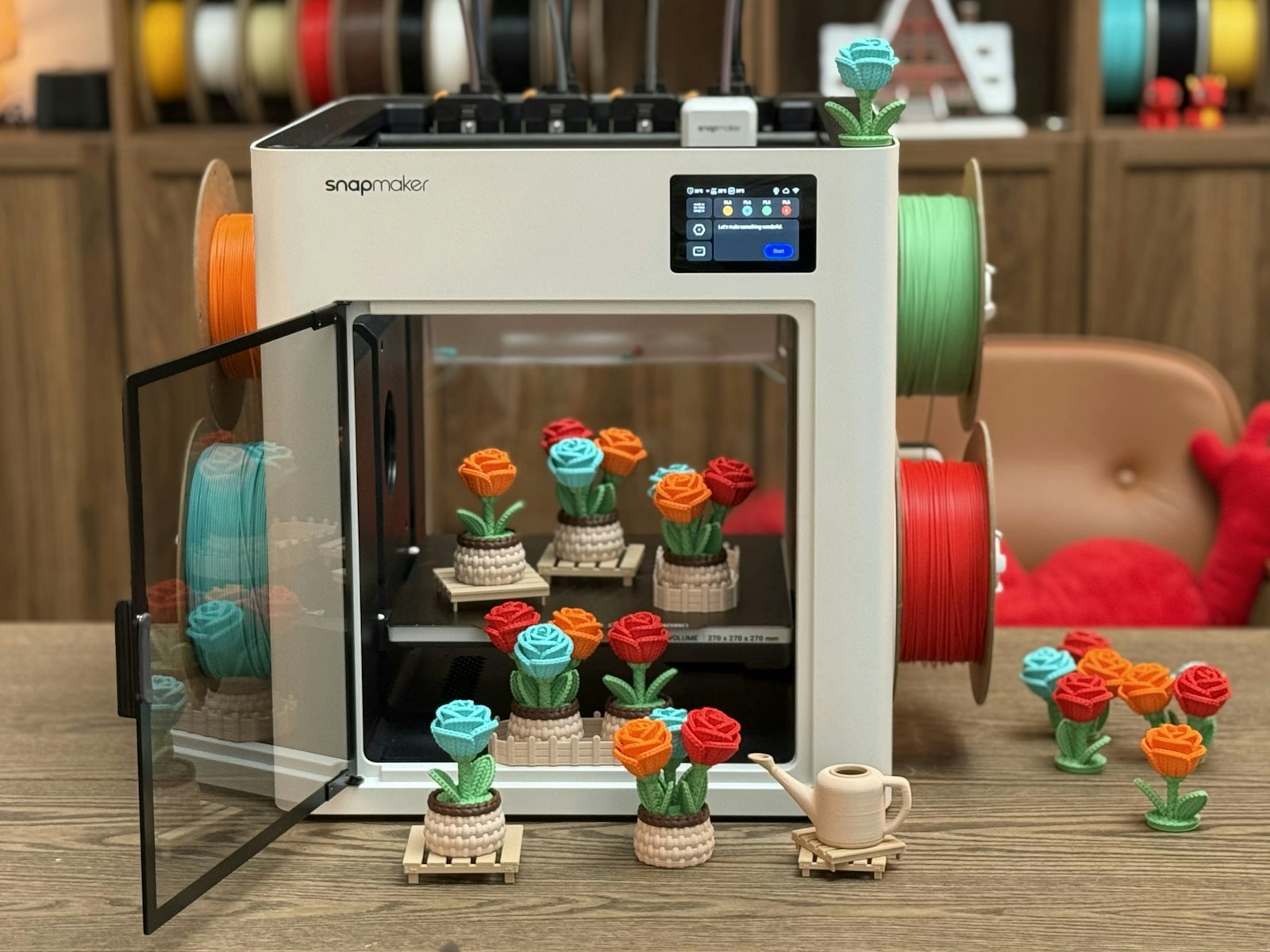
Choosing the best filament for multi-color printing matters more than most Bambu owners realize. Multi-color is the reason many people buy an AMS in the first place — and it’s also where filament quality differences show up hardest. Color changes multiply retractions, purges, and slot swaps, so a spool that prints fine solo can turn a 16-color rose into a stringy, blob-speckled mess. The good news: the community has converged on a short list of lines that behave beautifully across AMS slots, and a few simple rules that make any multi-color job cleaner.
Quick answer
For most multi-color prints, matte PLA from a single brand is the community-consensus winner: matte finishes hide the seams at color boundaries, and same-brand spools share temperatures and flow behavior across AMS slots. Bambu PLA Matte is the reference pick; Polymaker Panchroma Matte (formerly Panchroma Matte) is the budget equivalent with a huge palette.
What Makes a Filament Good for Multi-Color Printing
Multi-color jobs stress filament differently than single-color prints. Every color change means a retraction out of the hotend, a purge, and a fresh load — dozens to hundreds of times per print. Four properties separate the AMS-friendly spools from the frustrating ones:
- Matching temperatures across colors. The printer runs one nozzle temperature for all slots, so every loaded filament must be happy at the same setting. Using the same brand and product line makes matching temperature ranges easier, but verify each color’s current profile.
- Matte finish hides seams. Color-boundary layers never look perfect; glossy surfaces spotlight them, matte surfaces hide them. This is why matte PLA dominates community multi-color showcases.
- Consistent diameter and winding. AMS feed paths punish loose winding and diameter swings with jams — our AMS jamming data study found spool quality among the leading community-reported causes.
- Predictable purge behavior. Heavily pigmented and silk formulations need bigger flush volumes, which means more waste per swap.
The Best Filament for Multi-Color Printing: Top Picks
| Pick | Finish | Color range | Why it works |
|---|---|---|---|
| Bambu PLA Matte | Matte | 40+ colors | RFID auto-setup, seam-hiding finish, huge curated palette |
| Panchroma Matte PLA | Matte | 50+ colors | Budget matte king, cardboard spool (adapter recommended) |
| Bambu PLA Basic | Slight gloss | 30+ colors | Fast, calibration-free, best for speed over finish |
| eSUN PLA+ | Semi-gloss | 30+ colors | Cheapest reliable multi-slot option once calibrated |
| Overture Matte PLA | Matte | 20+ colors | Mid-price matte alternative, tidy winding record |
How these budget lines compare in detail — consistency, winding, real cost per kilogram — is covered in our budget filament guide and the Bambu filament tier list.
Can You Mix Brands in One Multi-Color Print?
Yes — with discipline. The community rulebook for mixed-brand AMS loads comes down to three checks. First, stay within one material class: PLA with PLA, PETG with PETG — never split a print across materials with different temperatures. Second, compare the printed temperature ranges on the boxes; if their mid-points are within about 10°C, one shared nozzle temperature will serve both. Third, calibrate each third-party spool into its own named profile before the multi-color job — flow ratio and pressure advance differences between brands are exactly what create bulges at color boundaries. Our step-by-step guide to adding third-party filament to Bambu Studio covers that entire process.
Filaments to Avoid in Multi-Color Jobs
- Silk PLA mixed with regular PLA. Silk wants higher temperatures and slower speeds; pairing it with standard PLA forces a compromise that hurts both. Use silk-only color sets instead — our silk PLA guide explains the trade-offs.
- Soft TPU. Flexibles below 95A shore hardness are not AMS-compatible at all — check the compatibility checker before loading anything unusual.
- Wet spools of any kind. Moisture that causes mild stringing in single-color prints becomes color-contaminating ooze in multi-color work. Dry first — see how to dry filament.
- Heavily glittered or carbon-filled filaments alongside clean colors: particles linger in the nozzle and speckle the next color unless flush volumes are raised substantially.
Cutting the Waste: Purge Settings That Save Money
Multi-color’s dirty secret is the purge pile — long prints can flush away a third of the filament they consume. Three settings claw most of it back. Enable “purge into infill” and “purge into object” in Bambu Studio so waste plastic goes somewhere useful. Then tune the flush multiplier down from the default: community consensus is that light-to-dark transitions tolerate multipliers well below stock, while dark-to-light (especially anything after red) needs the full volume. Finally, sequence your color order so dark follows light where the model allows it — the slicer purges far less in that direction.
FAQ
What is the best filament for multi-color printing on a budget?
Panchroma Matte or eSUN PLA+ in a single-brand color set. Both run 30–50% cheaper than Bambu spools, and once each color is calibrated into a named profile they hold their own in community comparisons. Panchroma Matte’s cardboard spools want adapters in the AMS.
Do all AMS slots need the same filament type?
For a single multi-color print, yes — one material class, one shared temperature. Between prints the AMS can happily hold different materials; the constraint only applies to filaments used together in one job.
Why do my color transitions look bulgy or streaked?
Usually under-tuned flush volumes (streaks of the previous color) or uncalibrated flow on one of the spools (bulges). Raise the flush multiplier for the affected pair, and run flow calibration per spool.
Does multi-color printing work with PETG?
It works, but PLA remains the community default: PETG’s stringier nature makes color changes messier and purge volumes larger. If the part needs PETG’s durability, keep the color count low and see our PETG settings guide for tuning.
Verdict
Matte PLA, one brand per print, dry spools, tuned flush volumes. That combination is what the best multi-color showcases on Bambu machines have in common. Bambu PLA Matte is the zero-effort route with the deepest color library; Panchroma Matte delivers most of the same result at a friendlier price once calibrated. Either way, the filament choice — not the printer — is usually what separates a crisp 12-color print from a smeared one.
Where to Buy
- Panchroma Matte (full palette) — Panchroma Matte — 15% off your first order, code BALUTAVLAD
- eSUN PLA+ color packs — Amazon
- Overture Matte PLA — Amazon
FilamentPicks is reader-supported. Some links above are affiliate links — as an Amazon Associate we earn from qualifying purchases, at no extra cost to you. This guide is based on manufacturer documentation and community-verified reports, not independent lab testing.