

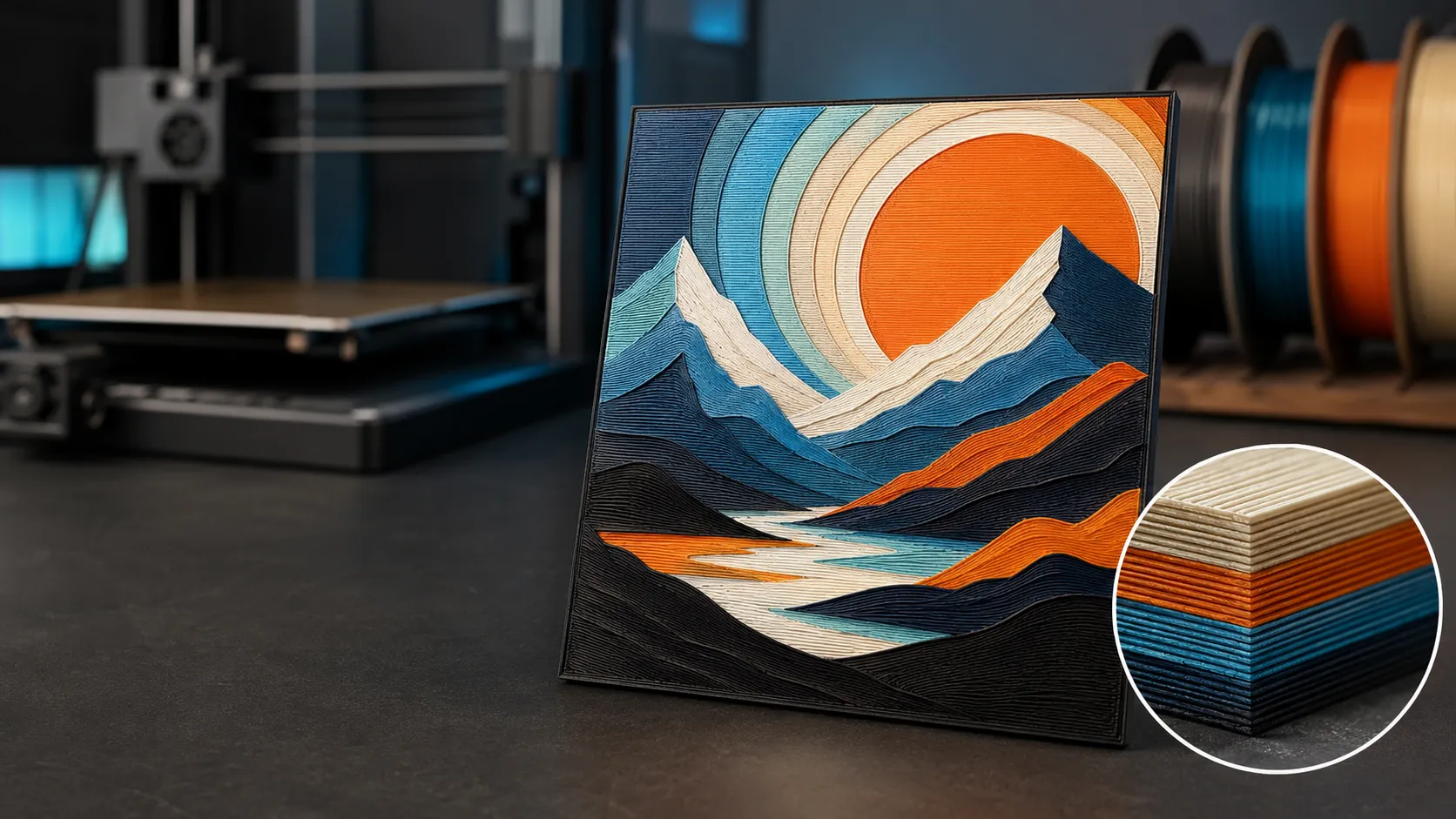
The best filament for HueForge on a Bambu Lab printer is a consistent PLA with known Transmission Distance (TD) values. Polymaker’s Panchroma HueForge packs are the easiest complete palette, Bambu PLA Basic is the simplest AMS-ready choice, and eSUN PLA+ is the budget route when you are willing to calibrate TD yourself.
Research-based guide. FilamentPicks compares manufacturer documentation, current product specifications, and repeatable community workflows. We do not claim hands-on testing we did not perform. Some links are affiliate links; qualifying purchases may earn us a commission at no extra cost to you.
Best Filament for HueForge: Quick Picks
| Pick | Best for | Why it works | Main trade-off |
|---|---|---|---|
| Polymaker Panchroma HueForge packs | Best overall | Purpose-built color sets with published color and TD information | Higher upfront cost than single spools |
| Bambu PLA Basic / Matte | AMS convenience | RFID profiles, clean feeding, broad US availability | TD can vary by color and batch |
| eSUN PLA+ / Matte | Best budget | Large palette and low cost per color | More manual calibration |
See our color-forward PLA, silk and filament-care picks together before planning your next HueForge palette. Amazon affiliate link.
If you already own several PLA colors, do not replace them automatically. HueForge can work with almost any ordinary PLA. When choosing the best filament for HueForge, the deciding factor is whether you know how each color transmits light through thin layers.
What Makes the Best Filament for HueForge?
1. A trustworthy Transmission Distance value
Transmission Distance describes how much material light can penetrate before a filament effectively blocks the colors beneath it. A low TD behaves as an opaque paint layer; a high TD lets lower colors influence the final shade. Polymaker publishes HueForge-oriented TD and HEX information for many colors, while HueForge includes a growing filament library.
TD is not a universal property printed on every spool. Pigment, batch, nozzle flow, and layer calibration can all shift the result. Use a published value as a starting point, then measure or print a calibration tile before committing to a large portrait.
2. Consistent extrusion at very small layers
HueForge commonly uses 0.08 mm layers. Small flow errors that disappear in a normal 0.20 mm print can change several tonal steps in a filament painting. Clean, dry PLA with stable diameter is more valuable here than maximum impact strength.
3. Intentional opacity, not maximum opacity
Opaque black is useful for a strong base and clean shadows. White usually provides highlights. Between them, translucent or medium-TD colors create smoother blends. An all-matte palette can look bold, but very opaque matte colors may hide the layers below sooner than the preview suggests.
4. One material family
Keep the entire stack in PLA for a first project. Mixing PLA and PETG in the same HueForge print adds different temperatures, shrink behavior, and weak inter-material bonding without improving the image. If you use the AMS, confirm every spool also meets the normal multicolor filament and spool rules.
Best HueForge Filament Picks for Bambu Lab
1. Polymaker Panchroma HueForge Color Packs
For most beginners, the best filament for HueForge comes from Polymaker’s HueForge packs because they remove the hardest part of the first project: building a palette whose colors and transmission behavior make sense together. The range includes Standard, Photo, Fire, Nature, and focused starter packs. This is the strongest recommendation if you want a repeatable path from the HueForge preview to the Bambu build plate.
The Photo pack is the most versatile for portraits and grayscale-heavy art. Fire and Nature packs are more specialized but give stronger thematic gradients. For a first print, use the supplied TD values, then calibrate only if the preview and a small test tile disagree.
Use code BALUTAVLAD for 15% off your first Polymaker order.
2. Bambu PLA Basic and PLA Matte
Bambu PLA is a strong best filament for HueForge alternative for owners who value automatic recognition and clean AMS feeding. PLA Basic generally gives more light interaction and stronger color blending; PLA Matte hides surface artifacts but is often more opaque, so it reaches its final color with fewer layers.
Use Basic for intermediate colors and Matte when you deliberately want a color to cover what is below it. Do not assign the same TD to Basic and Matte simply because the HEX colors look close.
3. eSUN PLA+ and eSUN Matte PLA
eSUN is the practical budget choice when searching for the best filament for HueForge across six or eight colors without turning the palette into a major purchase. It is widely available in the US and Bambu Studio includes familiar starting profiles. The trade-off is more calibration work: color names and online photos do not tell you the TD value.
Buy black and white first, then add two colors that create a useful light-to-dark progression. That produces better early results than buying many similar mid-tone colors.
HueForge Settings for Bambu Lab Printers
| Setting | Reliable starting point | Why |
|---|---|---|
| Material | PLA across every color | Consistent bonding and cooling |
| Nozzle | 0.4 mm | Best balance of detail, flow, and time |
| First layer | 0.16–0.20 mm | Stable foundation |
| Remaining layers | 0.08 mm | Fine tonal control |
| Infill | 100% | Predictable optical density |
| Wall generator | Arachne | Handles thin details cleanly |
| Top surface ironing | Off initially | Avoids changing the intended color layer |
| Print orientation | Flat on the build plate | Color changes happen by layer height |
| AMS | Optional | HueForge also works with manual swaps |
These are starting points, not a replacement for the creator’s supplied profile. A downloaded MakerWorld HueForge model may include exact swap heights and filament assumptions. Keep Z scale unchanged when resizing; resize only X and Y unless the creator explicitly says otherwise.
For exact temperature ranges by material and printer, use the Bambu Filament Settings Database. If you are unsure whether a spool or material fits your printer, check the Bambu Filament Compatibility Checker.
A Reliable First HueForge Workflow
- Choose a high-contrast image. A clear subject and simple background are easier than a low-contrast photo.
- Start with three or four colors. Black, white, and two intentional intermediate colors teach more than an eight-color palette.
- Enter the correct HEX and TD data. The on-screen preview is only as accurate as the filament library.
- Slice at the intended Z height. Do not scale Z after HueForge calculates the swap layers.
- Print a small version first. A 100–120 mm test can expose a bad TD value before a full 200 mm print.
- Change one variable at a time. If the highlights arrive too early, correct the relevant filament TD rather than changing every swap.
Common mistakes that ruin HueForge prints
- Using a generic TD value for every filament of the same brand.
- Mixing matte and basic PLA without updating opacity data.
- Scaling the model on the Z axis.
- Letting the AMS map colors in a different order than the slicer.
- Printing wet filament at ultra-fine layers.
- Choosing four colors with nearly identical brightness.
HueForge Filament FAQ
Do I need a Bambu AMS for HueForge?
No. HueForge changes color at specific layer heights, so a manual filament swap works. The AMS makes the process automatic and reduces the chance of loading colors in the wrong sequence.
Is matte PLA good for HueForge?
Yes, when used intentionally. Matte PLA is commonly more opaque than Basic PLA, which makes it excellent for solid shadows or final highlights but less forgiving for gradual blending. Use its own TD value.
Can I use PETG for HueForge?
Technically yes, but PLA is the easier default. PLA offers more colors, sharper fine layers, simpler cooling, and better compatibility with existing HueForge filament libraries.
What is the best first HueForge palette?
Black, white, one dark saturated color, and one lighter or more translucent color. A Polymaker Photo or Standard pack is the simplest ready-made option.
Final Verdict
The best filament for HueForge is Polymaker’s Panchroma HueForge range because the colors are sold as coherent palettes and supported with the optical information the workflow needs. Bambu PLA Basic is the easiest alternative for AMS owners, while eSUN PLA+ builds the most affordable large palette.
Sources
- HueForge — official software overview
- Polymaker Wiki — HueForge painting and TD workflow
- Polymaker — HEX codes and Transmission Distance
- How FilamentPicks researches recommendations
Affiliate disclosure: FilamentPicks participates in the Amazon Services LLC Associates Program and other affiliate programs. We may earn from qualifying purchases at no additional cost to you. Recommendations remain research-based and independent.