

The H2C changes the practical meaning of a “compatible filament.” On a conventional single-nozzle machine, the main questions are whether the hotend reaches the required temperature and whether the nozzle can survive the filler. On the H2C, you also decide which hotend owns each material, which colors deserve their own Vortek module, and whether the job’s nozzle choices are supported together by current firmware.
This guide is based on Bambu Lab’s published H2C documentation and announcement material. It is not a claim that every brand or formulation has been physically tested. Polymer blends vary, and Bambu can change slicer restrictions through firmware and profile updates. Check the linked official guide before a long, expensive, or safety-critical print.
Bambu H2C filament compatibility at a glance
The Bambu H2C filament compatibility matrix starts with both everyday and engineering materials. Its 350°C-class hotend and heated, enclosed build environment give it the thermal range required for many high-temperature polymers. That does not make every combination automatic. Bed surface, chamber conditions, moisture level, nozzle material, part geometry, and the exact filament profile still determine whether a print is sensible.
| Material family | H2C fit | Preferred setup | Main watch-out |
|---|---|---|---|
| PLA / PLA variants | Excellent everyday choice | Standard nozzle; manage chamber heat | Heat creep if PLA is printed too hot in a closed, warm chamber |
| PETG / PETG HF | Strong general-purpose fit | Standard or wear-resistant nozzle as required | Drying and correct build plate separation |
| ABS / ASA | Well suited to an enclosed platform | Stable chamber, ventilation, dry spool | Fumes, warping, and large-part shrinkage |
| PA / PC / PET engineering grades | Supported when the formulation fits the profile | Drying, suitable plate, hardened nozzle if filled | Moisture and demanding thermal conditions |
| CF / GF composites | Supported with appropriate hardware | Hardened, preferably larger-diameter nozzle | Abrasion, clogging, and rough first-party/third-party profile assumptions |
| TPU and other flexibles | Conditional | Use only a route permitted by current official guidance | Buckling, feed drag, and hotend-specific restrictions |
| PVA / BVOH support | Possible when dry and correctly routed | Dedicated dry storage and conservative handling | Rapid moisture uptake and degraded feeding |
How the Vortek system changes material planning
For Bambu H2C filament compatibility, Vortek adds a new planning layer: the H2C uses a fixed left hotend plus six swappable induction hotends on the right. Bambu describes the system as supporting as many as seven physical hotends during a workflow and up to 24 material inputs through connected AMS units. Instead of purging every previous material out of one melt zone, the printer can park a hotend and call another one. That can reduce purge waste substantially, but “minimal waste” is a more accurate expectation than “zero waste.” Priming, transitions, nozzle wiping, calibration, and the selected color strategy still consume material.
Each Vortek hotend also stores information about the filament last used in it. That memory is useful for matching a prepared hotend to the next job, but it does not replace good labeling. Mark physical nozzles by diameter and by material family—especially abrasive, soluble, and flexible materials—so a quick manual swap cannot introduce the wrong hardware.
When dedicated hotends make the biggest difference
Dedicated hotends are most valuable when materials are hard to purge from each other, when an abrasive filament should not share a wear path with decorative PLA, or when a support interface needs to be available repeatedly. A six-color PLA sign may benefit primarily from reduced purge. A PA-CF part with a soluble or breakaway interface benefits from both material isolation and nozzle specialization.
What Vortek does not solve
Vortek cannot make chemically incompatible polymers bond, dry a wet spool, or make a soft filament reliable through an unsuitable feed path. It also cannot remove the need for temperature, flow, and pressure calibration when a third-party material falls outside Bambu’s tuned profiles. Think of it as a tool-changing architecture, not a universal materials guarantee.
Choose the nozzle before choosing the slot
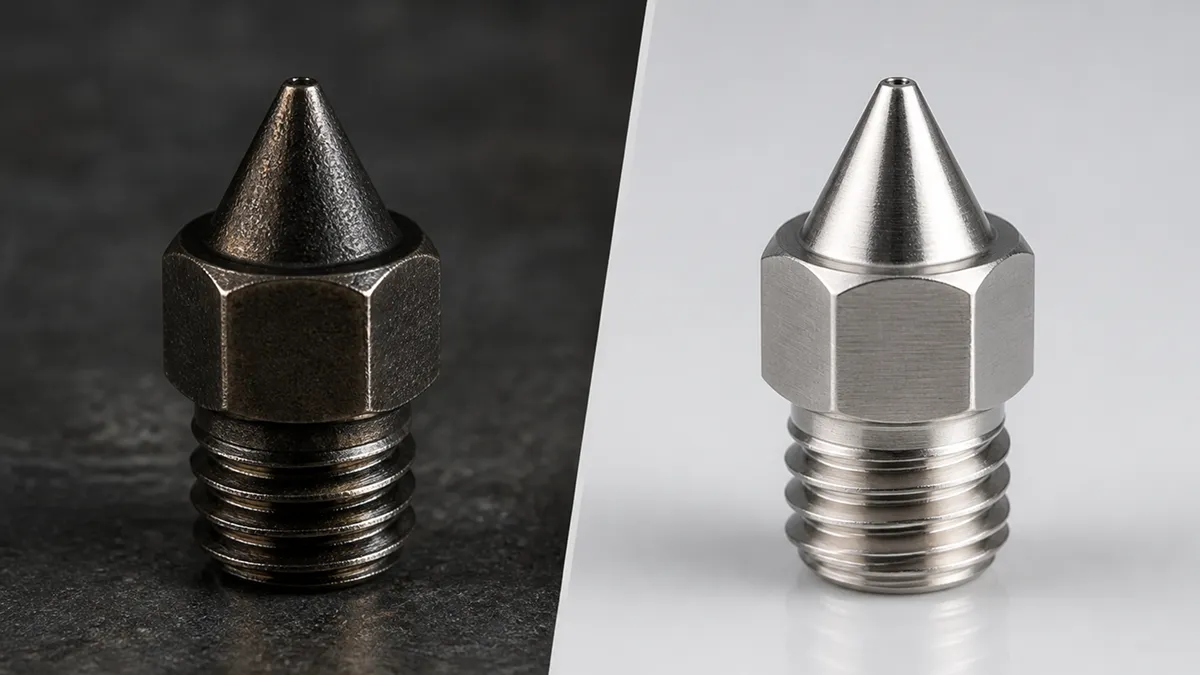
Nozzle selection is the highest-impact hardware decision in Bambu H2C filament compatibility. A small nozzle improves fine text and surface detail but narrows the passage available to pigments, chopped fiber, wood powder, glitter, or other particles. A larger nozzle gives filled materials more clearance and can support higher practical flow, at the cost of fine-detail resolution. Read our broader comparison of hardened versus stainless Bambu nozzles before assigning abrasive spools.
| Nozzle | Best use | Use caution with | Planning note |
|---|---|---|---|
| 0.2 mm | Miniatures, fine lettering, thin visual detail | Filled, glitter, wood, or inconsistent-diameter filament | Slow, clog-sensitive, and rarely the right default for composites |
| 0.4 mm | General printing and most standard polymers | Heavily filled third-party blends | Best balance of detail, speed, and profile availability |
| 0.6 mm | Functional parts, composites, higher flow | Very small details and thin walls designed for 0.4 mm | Strong default for CF/GF materials when the profile allows it |
| 0.8 mm | Large parts, thick walls, rapid deposition | Fine text, small holes, and precise cosmetic detail | Re-slice the model; do not reuse geometry assumptions from 0.4 mm |
For every abrasive material, verify both the nozzle and the upstream drive components. “Hardened nozzle” is not shorthand for “the entire feed system is wear-proof.” Also inspect the profile’s line width and maximum volumetric speed after changing diameter. The slicer should know the nozzle that is physically installed.
AMS compatibility and routing rules
AMS routing defines another layer of Bambu H2C filament compatibility, but not every Bambu feeder belongs to the same ecosystem. H2-series documentation describes configurations using AMS 2 Pro and AMS HT, with up to 24 slots in the maximum supported arrangement. The compact AMS Lite is an A1-series accessory and should not be treated as an H2C feeder.
For rigid, dimensionally stable filament, automatic loading is usually straightforward when the spool fits the unit and turns freely. Problems arise when a spool is too soft, too brittle, too rough, too damp, or dimensionally awkward. A material can be printable on the H2C while still being unsuitable for a particular automatic feeder. If you are comparing feeder behavior, our AMS jamming guide explains the difference between a spool problem, a feed-path obstruction, and a hotend restriction.
A practical routing hierarchy
- Use the slicer’s supported automatic route when the exact printer, AMS, and material profile agree.
- For a material excluded from the automatic route, use the documented external or direct feed path rather than bypassing warnings.
- Keep moisture-sensitive materials in active dry storage; an enclosed box is not automatically a dryer.
- Reduce bends and drag for soft filaments, and never force a filament through a path that is visibly buckling it.
Flexible, soluble, and abrasive materials
Flexible filaments
Flexible materials are the most conditional part of Bambu H2C filament compatibility. TPU is a family, not one behavior: a high-flow 95A grade can feed very differently from an 85A grade. Bambu’s H2C guidance has included hotend-specific restrictions for softer TPU, and those rules may evolve with firmware. Before routing TPU to the fixed left or exchangeable right side, check the current H2C filament printing guide. Do not override a slicer restriction simply because the nozzle can reach the required temperature.
Soluble supports
PVA and BVOH can produce clean internal channels and complex interfaces, but moisture is unforgiving. A spool that snaps, hisses, strings, or swells can contaminate a hotend and become difficult to unload. Dry it according to the manufacturer’s limit, keep it sealed during long jobs, and reserve a clearly labeled hotend if soluble support is a regular part of your workflow.
Carbon- and glass-fiber blends
CF/GF filament requires wear-resistant hardware and often benefits from 0.6 mm clearance. Drying remains essential: fiber does not stop the base polymer from absorbing water. When moving between unfilled and filled materials, inspect the nozzle rather than assuming that a profile correction can compensate for physical wear.
A reliable H2C material setup workflow
| Step | Check | Decision |
|---|---|---|
| 1. Identify | Exact polymer, filler, hardness, diameter, and manufacturer | Reject vague or damaged spools for critical work |
| 2. Dry | Follow the filament maker’s temperature/time ceiling | Do not compensate for wet filament with more nozzle heat |
| 3. Match hardware | Nozzle material and diameter, build surface, feed path | Assign a dedicated hotend if contamination or wear matters |
| 4. Select profile | Start with exact first-party or closest safe generic profile | Clone before changing a stock profile |
| 5. Calibrate | Flow ratio, flow dynamics, then volumetric limit if needed | Calibrate per color/formulation, not just per polymer name |
| 6. Validate | Small representative part with the actual plate and chamber state | Inspect bonding, corners, support removal, and surface quality |
A sound Bambu H2C filament compatibility workflow remains profile-specific. For third-party materials, follow our guide to adding third-party filament in Bambu Studio. If the material prints cleanly at low speed but fails on fast sections, the missing variable may be throughput rather than temperature; the Bambu filament settings guide explains the profile fields that matter, and our Bambu flow-calibration workflow keeps ratio, pressure response, and melt limits separate.
Limits and checks that prevent expensive mistakes
The current Bambu H2C filament compatibility limits include an important dual-nozzle rule. At the time of writing, Bambu’s official H2C FAQ states that mixing different nozzle diameters in the same dual-nozzle job is not supported, while equal diameters with different flow types may be supported. Firmware can change this, so confirm the rule in the current slicer before building a workflow around it. A 0.4 mm left hotend and 0.6 mm Vortek hotend may both be usable separately without being a permitted simultaneous pair.
Also distinguish “supported” from “optimal.” A polymer may be within the machine’s thermal envelope yet be a poor choice for an open room, a food-contact object, or a part exposed to flame or sustained load. Material selection still begins with the finished part’s environment.
Bambu H2C filament compatibility FAQ
Can the H2C print carbon-fiber filament?
Yes, the platform is intended to handle many CF/GF-reinforced materials when the exact polymer is supported and wear-resistant hardware is installed. Prefer a suitable hardened nozzle—often 0.6 mm for particle clearance—and dry the filament.
Does the H2C work with AMS Lite?
No. AMS Lite belongs to the A1-series ecosystem. Use the AMS units listed as compatible in the current H2C documentation, such as AMS 2 Pro or AMS HT configurations.
Does Vortek eliminate purge waste?
It can reduce purge dramatically by exchanging hotends instead of flushing every color through one melt zone. Some priming, wiping, transition, or calibration waste can still remain, so “minimal” is more accurate than “zero.”
Can I mix 0.4 and 0.6 mm nozzles in one dual-nozzle job?
Current official guidance has listed mixed diameters as unsupported in the same dual-nozzle job. Because this is firmware-dependent, verify the latest H2C FAQ and slicer warning before the print.
Should every filament get its own Vortek hotend?
No. Dedicate hotends where it reduces contamination, wear, or repeated purge—abrasive, soluble, flexible, or strongly contrasting materials are the best candidates. Ordinary colors of the same PLA family can often share hardware safely.
Official sources and further reading
- Bambu Lab: H2C and the Vortek system
- Bambu Lab official H2C announcement and FAQ
- Bambu Lab H2C filament printing guide