

Disclosure: FilamentPicks is reader-supported. As an Amazon Associate we earn from qualifying purchases, at no extra cost to you. Editorial recommendations remain independent. Drying temperatures are material-specific: use an RFID preset or the filament manufacturer’s current instructions whenever available.
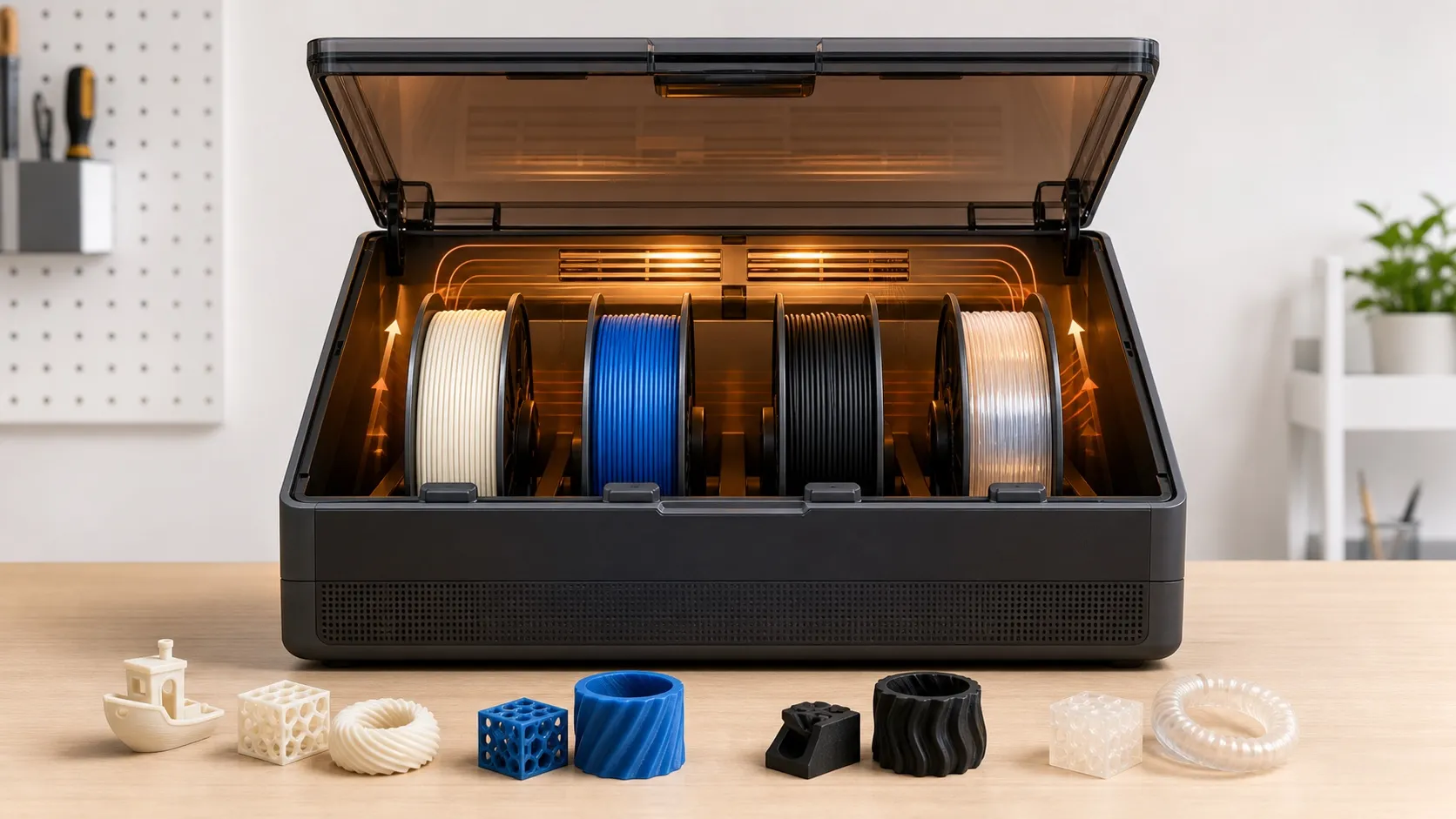
Correct AMS 2 Pro drying settings depend on two questions: can the unit safely reach the temperature the spool requires, and is the displayed cycle an official preset or a manual guess? The AMS 2 Pro actively vents moisture, rotates spools and reaches up to 65°C. That makes it a strong match for PLA and PETG, but Bambu explicitly warns that several engineering and composite filaments need more heat than the unit can deliver.
AMS 2 Pro drying temperature and time chart
This chart reflects the current device-preset data bundled with Bambu Studio 2.7.1.62. “During print” values apply only when the printer, firmware, power and connection expose that function. Presets can change, so RFID/UI remains the authority for a supported Bambu spool. For a third-party formulation, use its TDS without exceeding the unit’s 65°C ceiling or the spool’s own heat limit.
| Material | Idle preset | During-print preset* | Complete in AMS 2 Pro? | Key note |
|---|---|---|---|---|
| PLA | 45°C / 12 h | 45°C / 12 h | Yes | Use the current RFID/UI preset for the exact Bambu blend. |
| PETG | 65°C / 12 h | 55°C / 12 h | Yes | A product TDS may specify a different dryer schedule; do not merge the two. |
| PP | 60°C / 12 h | 50°C / 12 h | Yes | Confirm spool heat resistance and feed compatibility. |
| ABS / ASA | 65°C / 12 h | 65°C / 12 h | No | Bambu marks these as needing higher temperature for a complete dry. |
| PA (nylon) / PC | 65°C / 12 h | 65°C / 12 h | No | Use AMS HT or another dryer meeting the exact spool TDS. |
| PVA / HIPS | 65°C / 12 h | 65°C / 12 h | No | Do not assume a longer low-temperature cycle equals the required higher temperature. |
| TPU for AMS | 65°C / 12 h | 45°C / 12 h | No | This is the named AMS-rated product, not generic TPU 95A. |
| Generic TPU / TPU 95A | Do not load as an AMS 2 Pro feed material | Not applicable | Unsupported feed | Use an external/bypass route and a compatible separate dryer. |
*Only when that control is available for the connected printer, firmware and power setup.
Preset versus product TDS: Current AMS 2 Pro device presets use 12-hour cycles. Separate Bambu product pages can specify material-drying conditions such as 65°C for 8 hours for PETG HF. Follow the exact RFID/UI workflow and product TDS rather than treating one table as universal for every formulation.
Important distinction: “Listed for drying” and “fully dried” are not the same. In Bambu’s specification, an asterisk means the material normally requires a higher drying temperature and the AMS 2 Pro cannot dry it completely.
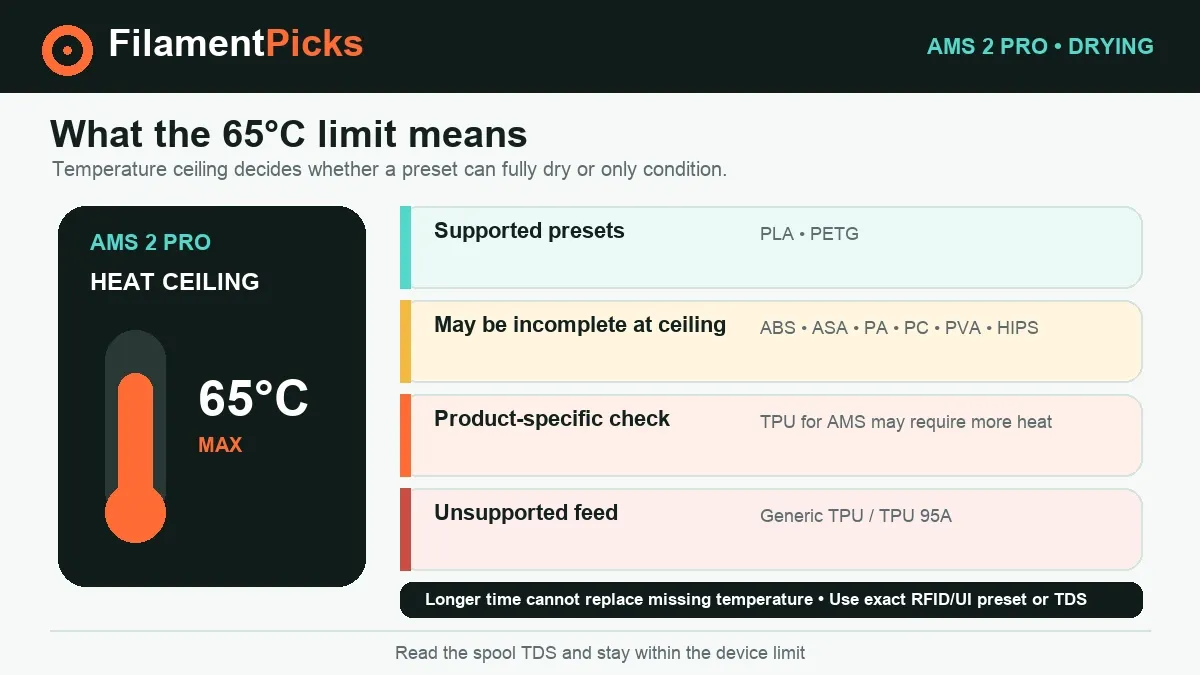
What the 65°C limit actually means
A 65°C maximum is useful because common PLA and PETG schedules fit inside it. It is not a universal filament-dryer temperature. PA (nylon), PC and several filled materials often have manufacturer schedules above 65°C. Holding them longer at an insufficient temperature is not automatically equivalent to reaching the specified temperature; absorbed water can remain.
That is why Bambu recommends the 85°C AMS HT for the starred group. The AMS 2 Pro can help keep a previously dried engineering spool conditioned, but a severely wet spool may still pop, foam or print weakly after a 65°C cycle. For a wider material comparison, consult our complete filament drying chart and then confirm the value on the exact spool data sheet.
Temperature also applies to the spool, not just the plastic strand. A cardboard core, adhesive label or printed adapter may have a lower safe limit. If the manufacturer does not authorize heated drying with that spool, transfer the filament to a heat-safe compatible spool or use another approved method.
How to use AMS 2 Pro drying settings correctly
- Confirm compatibility first. The official spool envelope is 50–68 mm wide and 197–202 mm in diameter. Confirm both feed compatibility and drying compatibility in our AMS 2 Pro compatibility guide.
- Connect the required power and data. The unit must be connected to a compatible printer through the 6-pin bus cable; it is not a standalone dryer. Older X1/P1 installations require the official switching adapter for drying. Check Bambu’s current connection matrix for your printer.
- Load only compatible spools. Inspect for tangled winding, damaged edges and brittle filament before a heated rotation cycle. Do not force generic TPU or an excluded abrasive material through the normal feed route.
- Let RFID choose when possible. For an official Bambu spool, verify the detected material and auto-matched drying profile. For a third-party spool, enter its documented temperature and duration manually, never above 65°C.
- Close the lid and start the cycle. The active vent removes moist air and the spools rotate for more even exposure. Do not block air paths or defeat lid/safety behavior.
- Validate the result. Temperature and humidity are shown on the unit and in supported Bambu interfaces, but the print is the final test. Listen for popping and inspect extrusion for bubbles, haze and hairs.
- Keep the dry spool dry. After the cycle, leave it sealed with active desiccant or move it directly to an airtight container. Drying without good storage only resets the clock.
Power, printer connection and drying during a print
Bambu’s official store guidance says an H2D can power one AMS 2 Pro for drying. Additional units drying at the same time need their own adapter. X1/P1-series owners need the official switching adapter to use the drying function, even though feeding can work without it. Because compatibility and firmware have expanded over time, verify the current Bambu connection guide for A1, P2 and X2-series installations rather than buying a third-party supply.
The AMS 2 Pro cannot dry independently of a printer connection. Bambu also states that an AMS involved in the current print—including one assigned for auto-refill—cannot be the drying unit for that job. An idle connected unit can dry while another AMS or an external spool supplies the print. Available controls and power behavior depend on printer and firmware, so update supported firmware and follow the warning shown on the device.
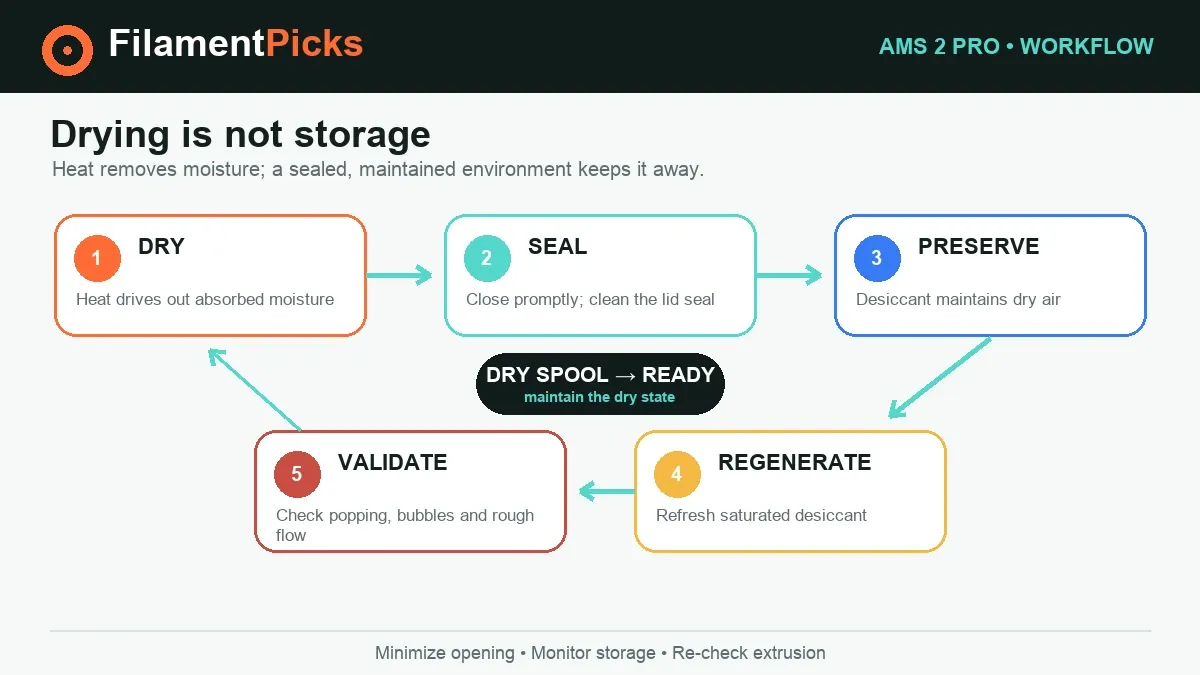
Drying is not the same as sealed storage
Heating drives moisture out; desiccant helps keep already-dry air dry. The AMS 2 Pro supports sealed storage plus real-time temperature and humidity reporting, but saturated desiccant cannot protect a spool indefinitely. Replace or regenerate it according to its instructions, make sure the lid seal is clean, and minimize unnecessary opening in a humid room.
Bambu PETG Basic specifies below 20% RH for printing and storage with desiccant. Treat that as a product-specific target, not a universal promise that every material is safe at exactly 20%. Fast-absorbing supports and nylon deserve especially little open-air time. The searchable Bambu filament settings database helps you compare material requirements before choosing an AMS or dryer workflow.
AMS 2 Pro drying troubleshooting
| Symptom | Likely cause | Next step |
|---|---|---|
| Drying option unavailable | Missing power adapter, cable, firmware or model support | Check Bambu’s current connection matrix and use the official supply. |
| Spool still pops after cycle | Material needs above 65°C or was severely wet | Use AMS HT/dedicated dryer at the manufacturer’s temperature. |
| Humidity drops then rises quickly | Wet desiccant, poor seal or frequent opening | Service desiccant, clean the seal and check lid closure. |
| Filament softens or spool distorts | Temperature unsuitable for the material/spool | Stop the cycle; verify the exact product schedule before reuse. |
| Drying stops when printing starts | That AMS is assigned to the job or power is prioritized | Use an idle AMS, correct adapter and supported firmware/setup. |
AMS 2 Pro drying settings FAQ
What is the maximum AMS 2 Pro drying temperature?
65°C. Bambu’s specifications list active moisture discharge, rotating drying, sealed storage and temperature/humidity detection. The AMS HT reaches 85°C for materials that need more heat.
What settings should I use for PLA?
The current AMS 2 Pro device preset is 45°C for 12 hours. Use the detected RFID/UI preset for the exact Bambu blend; a product page or third-party TDS can differ.
What settings should I use for PETG?
The current device preset is 65°C for 12 hours while idle, or 55°C for 12 hours where during-print drying is supported. PETG HF also has a product-specific 65°C/8-hour drying condition. Follow the exact UI and TDS, not a blended rule.
Can AMS 2 Pro fully dry nylon?
Not according to Bambu’s compatibility note. PA is marked as needing a higher drying temperature, and Bambu says the AMS 2 Pro cannot dry starred materials completely. Use AMS HT or another dryer meeting the spool specification.
Can I use generic TPU in AMS 2 Pro?
No. Bambu lists generic TPU, TPE and Bambu TPU 95A among materials not supported by the AMS 2 Pro feed system. “TPU for AMS” is a distinct supported product, and even it is starred for incomplete drying at this unit’s limit.
Can the AMS 2 Pro work as a standalone dryer?
No. Bambu states that it must connect to the printer using the 6-pin bus cable so the printer is powered and set to filament-drying mode.
High-temperature filament dryer
For a material whose current TDS requires more than 65°C, compare a purpose-built dryer and verify its real temperature range before ordering.
Compare dryers on Amazon →Reusable desiccant
Dry storage helps preserve the result after the timed cycle; choose a container-safe option and monitor humidity rather than guessing.
Browse desiccant on Amazon →Affiliate links support FilamentPicks at no extra cost to you. Product suitability still depends on the exact spool TDS.
Official sources
- Bambu Lab — AMS 2 Pro product page and specifications (maximum temperature, supported/excluded materials, power and operating limits)
- Bambu Lab — PLA Basic product guidance (55°C for 8 hours in AMS 2 Pro/AMS HT)
- Bambu Lab — PETG Basic product guidance (65°C for 8 hours in AMS 2 Pro/AMS HT and storage humidity)
- Bambu Lab — PETG HF product guidance (65°C for 8 hours and pre-drying requirement)
- Bambu Lab — AMS HT specifications (85°C alternative for higher-temperature materials)
- Bambu Studio 2.7.1.62 — official AMS drying preset mapping (idle and during-print values)