

Disclosure: FilamentPicks is reader-supported. As an Amazon Associate we earn from qualifying purchases. Polymaker links may also earn us a commission, at no extra cost to you. Editorial recommendations remain independent and follow official manufacturer guidance.
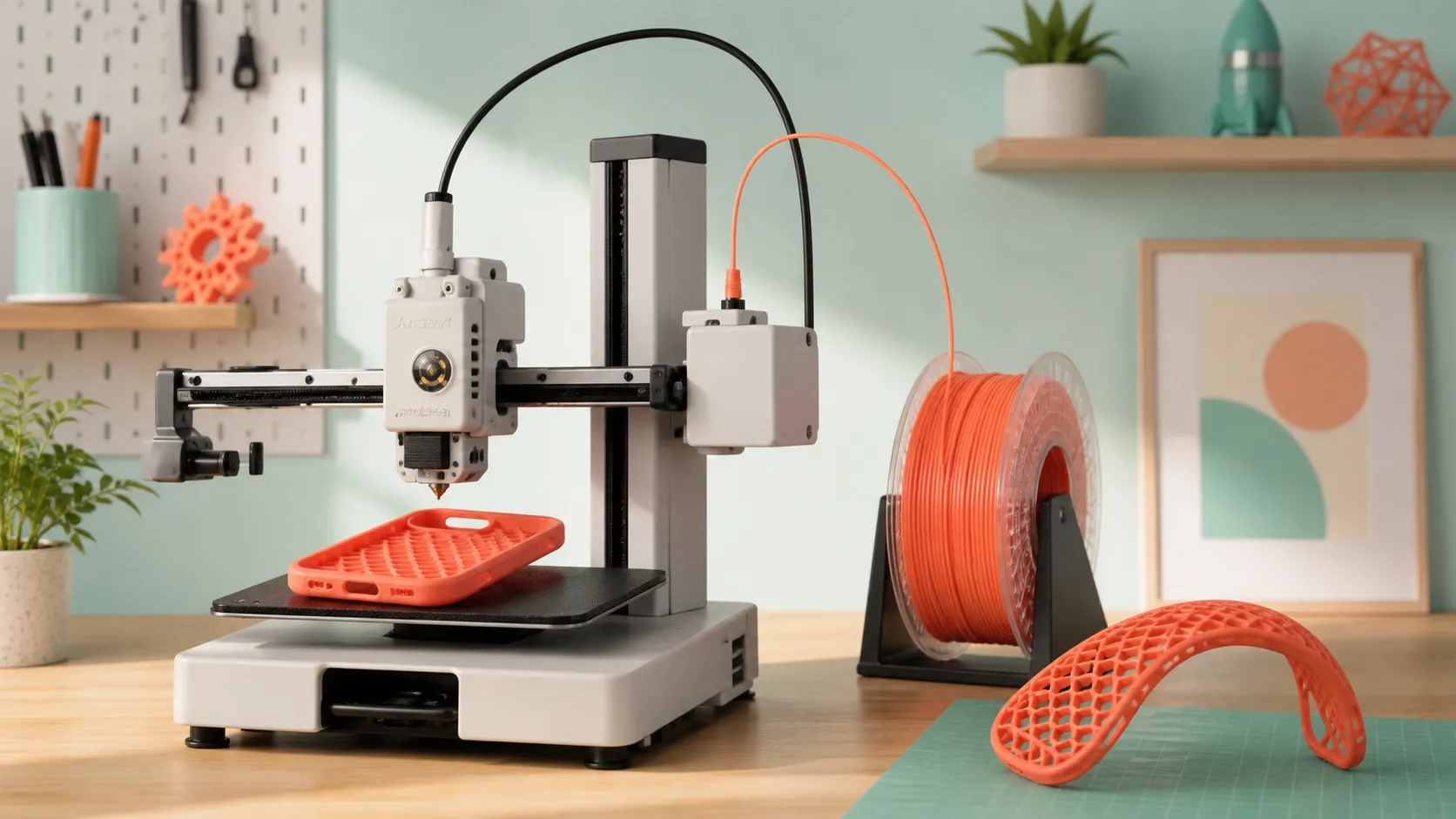
Bambu A1 Mini TPU settings work best when the feed path is short, dry and free of drag. The A1 Mini can print soft, useful TPU parts very well, but the winning setup is not the same as PLA: a conservative flow limit matters more than chasing a dramatic top-speed number.
Bambu A1 Mini TPU settings: a research-based baseline
These values are a dependable first test for generic 95A TPU, not a universal final profile. TPU chemistry, pigment, moisture and spool friction can all move the best temperature or flow slightly. Load the current Generic TPU preset for the A1 Mini, select the plate you actually installed, and make one change at a time.
| Setting | Starting point | Why it matters |
|---|---|---|
| Filament profile | Generic TPU | Uses a deliberately conservative flow limit for flexible filament. |
| Nozzle | 0.4 mm | The current A1 Mini generic profile supports 0.4, 0.6 and 0.8 mm; 0.4 mm is the practical default. |
| Nozzle temperature | 240°C | Official profile baseline; its allowed range is 200–250°C. Follow the spool maker’s range if narrower. |
| Textured PEI / Hot Plate | 30°C | Official Generic TPU baseline for the A1 Mini profile. |
| Maximum volumetric speed | 3.2 mm³/s | This, not one universal mm/s number, limits how quickly the hotend must melt and push the material. |
| Layer height | 0.20 mm | A forgiving test layer height for the standard 0.4 mm nozzle. |
| Feeding | External spool only | Generic TPU and TPU 95A are listed as unsupported for AMS lite. |
| Drying | Use the spool manufacturer’s TDS | Bambu does not publish one universal drying recipe for every third-party TPU. |
If you are choosing material rather than tuning a roll you already own, see our Bambu TPU buying guide. For the broader process, our complete Bambu TPU setup guide explains the differences between flexible families.
Use the external spool: the A1 Mini TPU feed path
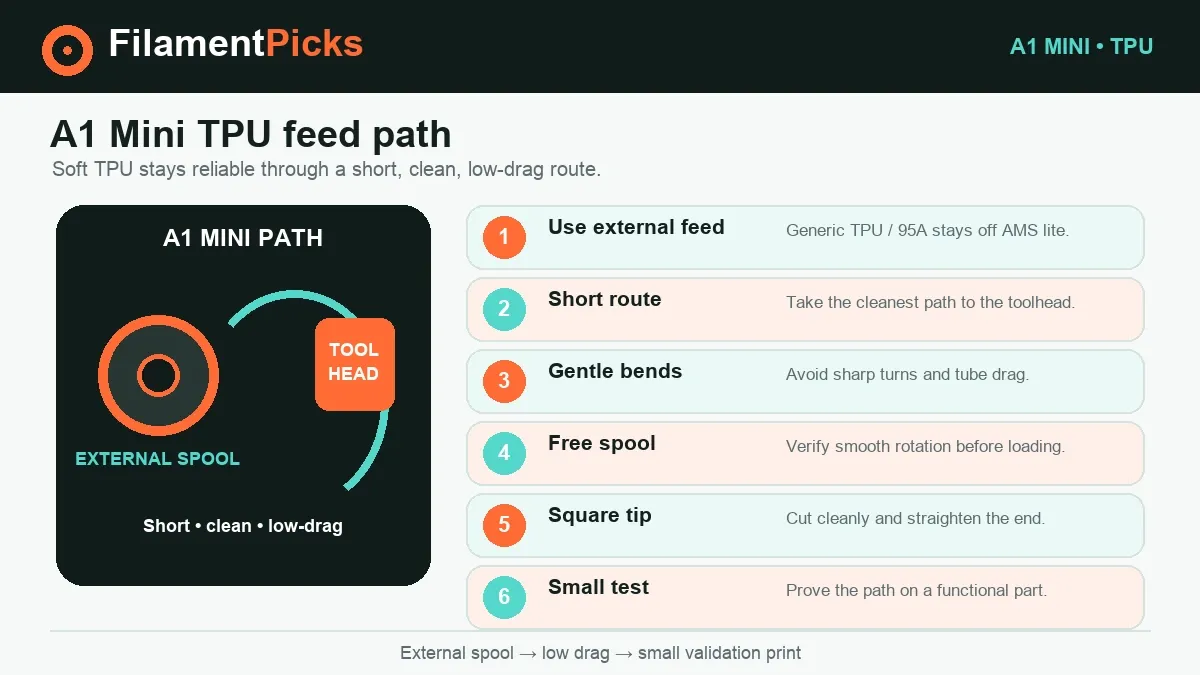
Soft TPU behaves like a spring inside a constrained path. Extra bends, drag and repeated push-pull moves make buckling more likely. That is why the simple external route is the right default for 95A material.
- Dry or condition the roll as its maker specifies. Popping, a foamy surface and sudden stringing often indicate moisture. Keep the dried roll sealed until you are ready to print.
- Mount it on the A1 Mini’s external holder. Check that the spool turns freely and does not rub an edge. A cardboard spool that binds can create under-extrusion even when the profile is correct.
- Use the shortest clean route into the toolhead. Avoid sharp PTFE bends. Cut the filament end squarely, straighten the first few centimeters gently, and load at a controlled pace.
- Select Generic TPU and the correct nozzle. Do not leave a PLA profile active. Verify nozzle size, build plate and filament preset before slicing.
- Print a small functional test. A short wall, hinge or flexible tab reveals under-extrusion and layer bonding faster than a large decorative model.
Build-plate adhesion without damage
TPU can grip some surfaces aggressively. Use the plate guidance and release-agent recommendation supplied with your plate and filament. Let the plate cool, then flex it gently rather than prying a soft part while hot. A clean plate and a sensible brim usually beat simply raising the bed temperature.
Tune TPU in this order
Changing temperature, flow, retraction and speed at the same time hides the cause of a failure. Use this sequence instead.
Start with a conditioned roll
A wet roll can mimic a bad temperature profile. If extrusion crackles or the surface looks porous, stop and dry according to the manufacturer’s technical sheet.
Remove drag and bends
Watch the spool during a long extrusion. It should unwind smoothly. Fix mechanical resistance before increasing temperature or flow.
Adjust in small steps
Within the roll’s specified range, move by about 5°C. Raise temperature for poor bonding; lower it for excessive ooze only after moisture is ruled out.
Respect volumetric speed
Keep 3.2 mm³/s for the first successful print. Increase only with a controlled test; soft generic TPU is not automatically a high-flow formulation.
Why there is no magic retraction number
The current printer/filament preset already coordinates retraction with the A1 Mini’s path. A fixed number copied from another printer can make flexible filament buckle or increase heat exposure. First dry the roll, reduce travel across open gaps where the model allows it, and run a temperature test. Change retraction only after those variables are stable, and keep the adjustment small.
Bambu A1 Mini TPU settings troubleshooting
| Symptom | Most likely checks | First action |
|---|---|---|
| Hairy strings between towers | Moisture, too much heat, unnecessary travel | Dry per the maker’s TDS, then test 5°C cooler within its range. |
| Clicking or no extrusion | Spool drag, sharp tube bend, filament folded near the drive | Unload, trim the damaged section, free the spool and reload through the external path. |
| Thin or missing lines | Flow demand above 3.2 mm³/s, partial clog, restricted spool | Return to the Generic TPU flow limit and test a clean 0.4 mm nozzle. |
| Weak layer bonding | Too cool, too fast, strong cooling, wet filament | Confirm dryness, then increase nozzle temperature in 5°C steps within the roll’s specification. |
| Elephant foot or flattened detail | First-layer compression and bed temperature | Recheck plate selection and first layer before lowering the whole model’s flow. |
| Part will not release | Plate-specific release guidance was skipped | Cool fully and follow the plate maker’s release-agent instructions next time. |
For a symptom-by-symptom explanation across materials, use our TPE vs TPU comparison. If you are seeing the same stringing on PETG, it is a different tuning problem; start with the PETG stringing checklist.
Can the A1 Mini print TPU through AMS lite?
Not ordinary TPU 95A. Bambu lists TPU and TPU 95A among the materials AMS lite does not support. Use the external holder for those flexible rolls.
The named exception is Bambu TPU for AMS, a special 68D material with a dedicated profile and explicit AMS lite compatibility. It is substantially stiffer than 95A, so choose it for feedability and tougher semi-flexible parts—not as a like-for-like substitute for a soft phone case, seal or grippy foot. Its official baseline is 230°C, a 30–35°C bed, drying at 70°C for eight hours, storage/printing below 20% RH, and an 18 mm³/s profile. Those values belong to that exact product.
Need a soft TPU roll?
Compare Polymaker TPU options, then use the external spool path and the exact technical data sheet—not the AMS lite.
Use code BALUTAVLAD at checkout.
Explore Polymaker TPU →Keep TPU dry
A temperature-controlled dryer can help when moisture is confirmed. Always follow the limit printed for your exact spool.
Browse dryers on Amazon →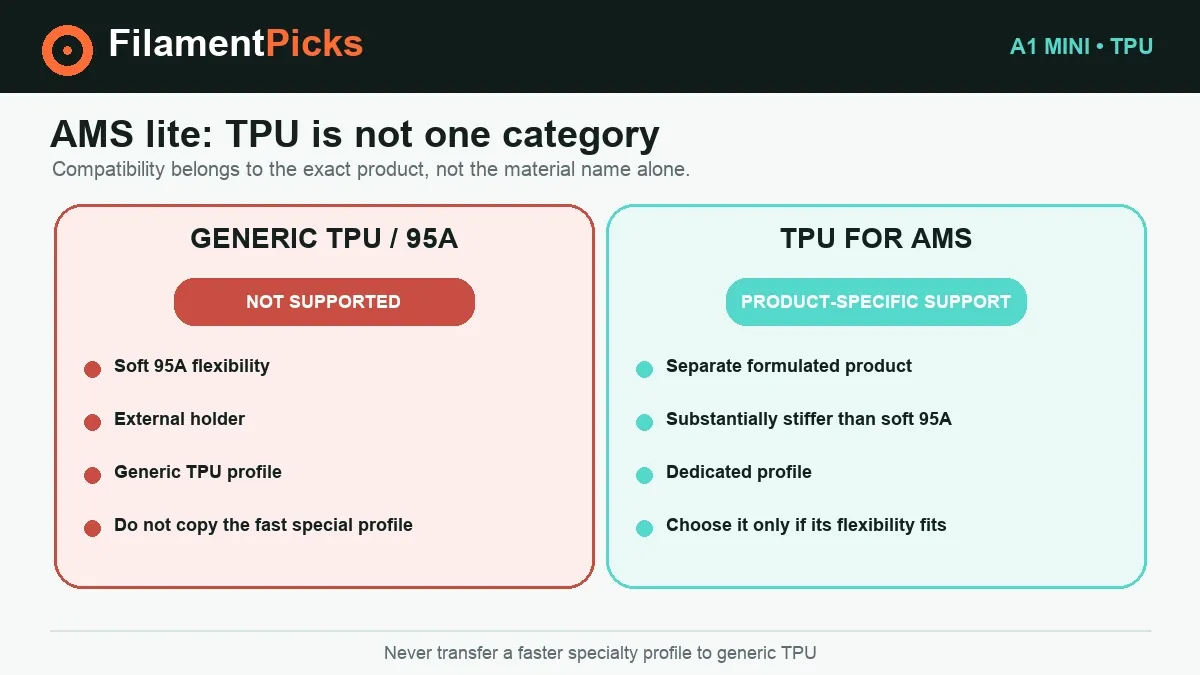
Frequently asked questions
What is the best A1 Mini setting for TPU 95A?
Use Generic TPU with a 0.4 mm nozzle, 240°C nozzle, 30°C Textured PEI/Hot Plate baseline, 3.2 mm³/s maximum volumetric speed and the external spool. Then fine-tune within the filament maker’s stated range.
Can I use a 0.2 mm nozzle?
The current A1 Mini Generic TPU profile lists 0.4, 0.6 and 0.8 mm nozzles, not 0.2 mm. The smaller path adds resistance and is a poor default for flexible filament.
How fast can the A1 Mini print TPU?
For generic TPU, use the official 3.2 mm³/s volumetric limit rather than a universal linear-speed claim. Actual mm/s changes with line width and layer height. High-flow branded TPU may have a different dedicated profile.
Should I dry TPU at 70°C for eight hours?
That is Bambu’s published instruction for its TPU for AMS and TPU 95A HF products, not proof of one universal recipe for every third-party 95A roll. Follow the technical data sheet for the exact material you own.
Why is my TPU suddenly stringing?
Moisture is the first suspect when a previously good profile becomes noisy, bubbly or much hairier. Dry correctly, check spool drag, and only then test temperature in small steps.
Is Bambu TPU for AMS the same softness as 95A?
No. TPU for AMS is rated 68D, which is much more rigid than 95A on the Shore A scale. The name describes feed compatibility, not identical flexibility.
Final A1 Mini TPU checkpoint: save these Bambu A1 Mini TPU settings as a named baseline. Before production, reopen the named Bambu A1 Mini TPU settings profile and confirm that it still matches the current spool and feed path. Treat Bambu A1 Mini TPU settings as spool-specific because hardness and moisture can change flow behavior. Compare the saved Bambu A1 Mini TPU settings only after the filament has been dried and fed through the same path. Update Bambu A1 Mini TPU settings one variable at a time so the result remains easy to diagnose. For a related calibration workflow, use the Bambu filament settings database as a profile reference.