

👉 See also: The Bambu Lab Filament Tier List for 2026: Every Major Brand Ranked — our full research-based guide.
Prusa Research has just released what may be one of the most creatively significant software tools to come out of the desktop 3D printing world this year: ColorMix Shading, a free web-based utility that automatically applies realistic, lighting-driven color gradients to any 3D model. For anyone running a multi-material setup — whether that’s a Bambu Lab AMS, a Prusa XL with multiple tool heads, or a Creality multicolor unit — this tool opens up an entirely new dimension of visual customization that was previously the domain of professional 3D artists with specialized rendering software.
The “Full Spectrum” Revolution Finally Gets Software to Match
Over the past several months, the desktop 3D printing world has been buzzing about the concept of “full spectrum” color printing. The idea is deceptively simple: by placing different colored filaments — typically cyan, magenta, yellow, and black (CMYK), or other carefully chosen combinations — directly adjacent to one another on a model’s surface, the human eye blends them into colors that were never actually printed. It’s essentially the same principle behind halftone printing in newspapers and magazines, applied to three-dimensional objects.
The hardware to support this has matured quickly. Multi-material systems like Bambu Lab’s AMS and AMS 2 Pro, Prusa’s MMU3, and various Creality and Voron multi-toolhead configurations can already lay down these fine color transitions with impressive precision. The problem has been software: until recently, slicers and utilities simply hadn’t caught up to what the hardware could do. Prusa Research had already taken a first step with its original ColorMix tool, which handled basic full-spectrum color mapping. ColorMix Shading takes that concept several steps further.
How ColorMix Shading Works
ColorMix Shading is a browser-based application, hosted via GitHub and announced through the official Prusa3D blog, that lets users generate dynamic, lighting-based shading directly on a 3D model’s surface. The workflow is refreshingly straightforward:
- Step 1: Upload a 3D model into the web app.
- Step 2: Choose two related colors that will form the basis of the shading effect (for example, a darker and lighter shade of the same hue).
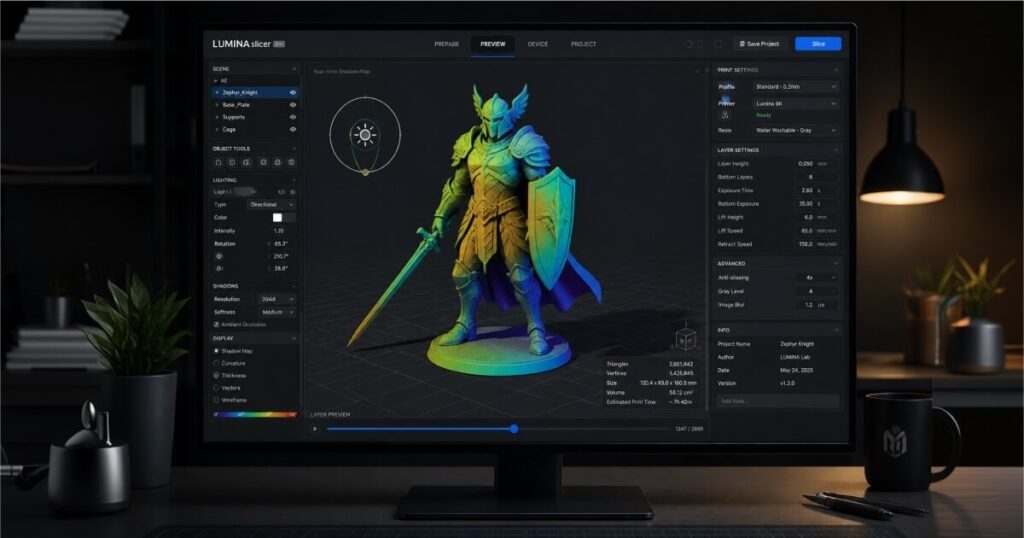
- Step 3: Position a virtual light source anywhere in 3D space around the model — above, below, to one side, or at an unconventional angle for dramatic effect.
- Step 4: The app calculates, surface by surface, which of the two colors should be applied based on how that area would theoretically be lit, effectively simulating shadow and highlight across the geometry.
- Step 5: Advanced users can even add a second light source for more complex, layered shading effects.
Once the shading is dialed in, the resulting color-mapped model can be sent directly to PrusaSlicer or Prusa’s EasyPrint platform, or exported as a standard 3MF file for use in virtually any other slicer that supports multi-material color assignment.
From Flat Models to Sculptural, Lit-From-Within Prints
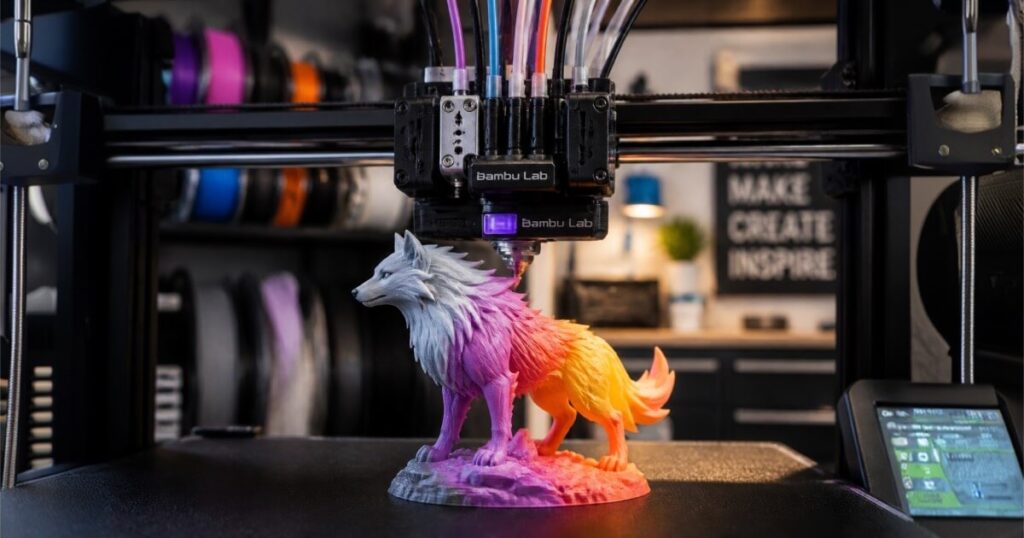
The practical effect is striking. A simple test object like the classic #3DBenchy, which would normally print as a single flat color, can instead emerge from the printer looking as though it’s been lit from a specific angle, with naturalistic gradients running across its hull and cabin. For figurines, cosplay props, architectural models, and decorative items, this effectively adds a layer of depth and realism that previously required hand-painting or airbrushing after the print finished.
Why This Matters to the Community
For the multi-material crowd, ColorMix Shading is arguably one of the most useful free releases of the year, and its impact will be felt differently across the major hardware ecosystems.
Bambu Lab owners running an AMS or AMS 2 Pro are perhaps the single largest audience for this tool. The AMS has made multi-material, multi-color printing more accessible than ever for the average hobbyist, but most users have stuck to simple, blocky color separations because designing realistic gradients by hand in Bambu Studio is tedious and requires real artistic skill. ColorMix Shading effectively automates that artistry — users can now generate a shaded color map in minutes and import it straight into their existing slicing workflow via 3MF, dramatically lowering the skill floor for producing professional-looking multicolor prints.
For the Prusa ecosystem specifically, this is a clear value-add for owners of the MMU3-equipped MK4S and the multi-toolhead XL, both of which are well-suited to the fine color transitions that full-spectrum shading requires. It also reinforces Prusa’s strategy of building out a software ecosystem around PrusaSlicer and EasyPrint that keeps users within the Prusa software stack even as hardware competition from Bambu Lab intensifies.
Creality users with multicolor-capable machines, and the Voron community running custom multi-tool or multi-extruder setups, both stand to benefit as well — since the tool exports to a universal 3MF format, it is largely hardware-agnostic. Anyone with a printer capable of multi-material color blending can take advantage of the shading calculations, regardless of which slicer or AMS-equivalent system they use.
More broadly, the release underscores a growing trend: as multi-material hardware becomes commoditized across price points, the real competitive battleground is shifting to software that makes that hardware easier and more rewarding to use. Tools like ColorMix Shading lower the barrier between “I have a printer that can do full-spectrum color” and “I can actually produce something that looks good,” which is likely to drive a fresh wave of creative multicolor projects across Reddit, Printables, and MakerWorld in the coming weeks.
Image credit: Filamentpicks.com