

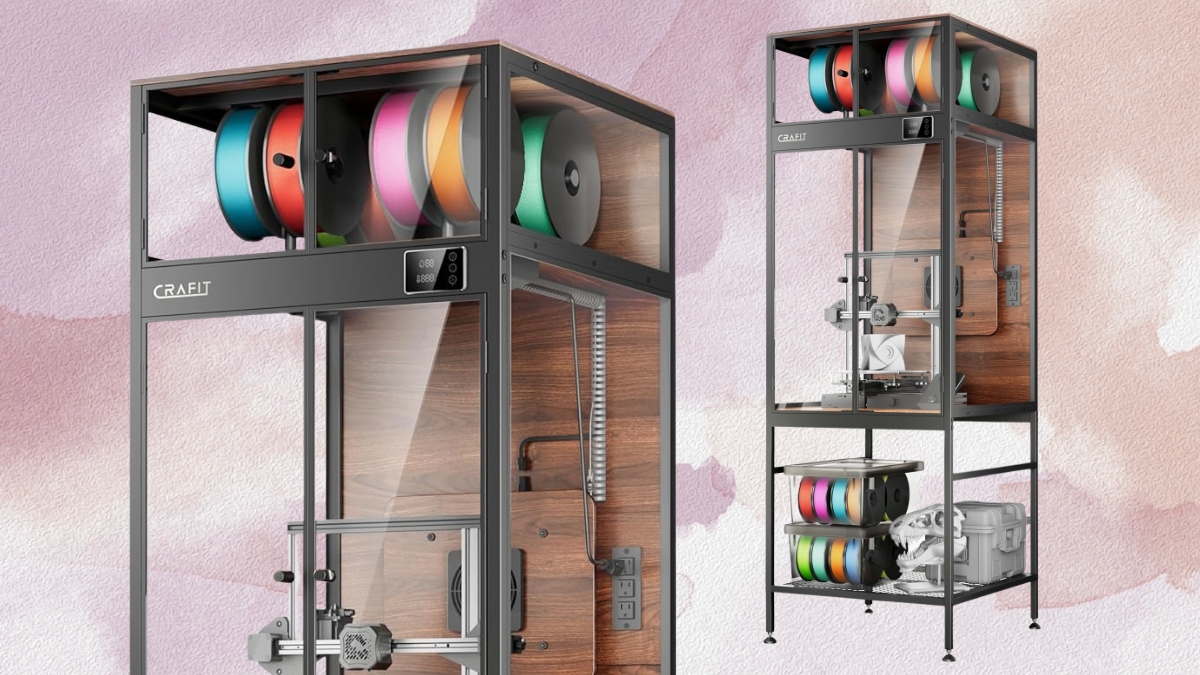
The Bambu Lab P2S is one of the most capable mid-range 3D printers you can buy in 2026 — fast, enclosed, and compatible with a wide range of materials. But with that flexibility comes a question every P2S owner eventually faces: which filament should you actually use? This guide helps you find the best filament for Bambu P2S based on real-world testing.
This guide answers that question based on real test results, community data from thousands of P2S prints, and hands-on experience across every major material category. Whether you’re printing PLA for quick models, PETG for functional parts, ABS for heat-resistant housings, or engineering materials like PA-CF — I’ll tell you exactly which brands work, which settings to use, and what to avoid. If you want the best filament for Bambu P2S printing, the recommendations below are ranked by use case and researched performance.
One important note before we dive in: the P2S is an enclosed printer, and that changes which materials you can use compared to open-frame Bambu printers like the A1 or A1 Mini. The enclosure passively heats during printing (reaching 40–50°C for ABS/ASA jobs), which unlocks a whole class of engineering filaments that would warp immediately on an open printer.
Quick Picks: Best Filament for Bambu P2S by Use Case
Not sure where to start? Here’s our short list of the best filament for Bambu P2S for each use case:
| Use case | Best filament | Brand to buy | Price/kg |
|---|---|---|---|
| Everyday PLA prints | PLA+ or PLA Basic | eSUN PLA+ / Bambu Basic | $16–22 |
| Functional PETG parts | PolyLite PETG / Bambu PETG HF | Polymaker / Bambu | $20–26 |
| Outdoor parts (UV) | PolyLite ASA | Polymaker | $24–28 |
| Heat-resistant housings | ABS+ | eSUN ABS+ | $18–22 |
| Flexible / grippy | TPU 95A | Overture / eSUN | $24–28 |
| High-strength / structural | PA-CF or PA6-CF | Bambu / eSUN | $38–55 |
💡 All prices are approximate Amazon pricing as of May 2026. Always check current listings — filament prices fluctuate.
Bambu P2S Filament Compatibility: Full Material Table
The P2S is officially compatible with 7 material types, but in practice it handles more. Here’s everything you need to know about temperature, enclosure requirements, and AMS compatibility: Knowing this table helps you choose the best filament for Bambu P2S for any project.
| Material | Enclosure needed? | Nozzle temp | Bed temp | AMS compatible |
|---|---|---|---|---|
| PLA / PLA+ | No (vent door) | 190–220°C | 45–60°C | Yes |
| PETG | No (door closed) | 240–245°C | 70–75°C | Yes |
| PETG-HF | No | 240–250°C | 70–80°C | Yes |
| ABS | Yes (passive) | 240–260°C | 95–105°C | Yes |
| ASA | Yes (passive) | 240–250°C | 90–100°C | Yes |
| TPU 95A | No | 220–230°C | 30–45°C | External spool only |
| PA-CF / PA6-CF | Yes (passive) | 260–270°C | 90–110°C | Yes (dry first) |
| PC | Yes (passive) | 270–280°C | 110–120°C | Not recommended |
💡 The P2S has passive chamber heating only — no active heating element. For most ABS/ASA work this is fine. For very tall parts in warp-prone materials, allow extra warm-up time before starting the print.
Best PLA Filament for Bambu P2S
PLA is the easiest material to print on the P2S, but there’s one thing most guides miss: with the enclosure closed, PLA can suffer from heat creep. The P2S handles this with a cooling mode that draws fresh air from outside the enclosure and vents the hot chamber air through the back — but you still need to use the right settings.
Top PLA picks for the Bambu P2S
1. eSUN PLA+ — Best Overall PLA
- Nozzle: 210–220°C | Bed: 55–60°C (textured PEI or cool plate)
- Use the eSUN PLA+ preset in Bambu Studio — no guessing needed
- Excellent surface finish, strong layer adhesion, wide color range
- Price: ~$18/kg | Amazon: eSUN PLA+ 1.75mm
2. Polymaker PolyLite PLA — Best for Reliability
- Nozzle: 200–220°C | Bed: 45–60°C
- Has a dedicated profile in Bambu Studio — plug and play
- Consistent diameter tolerance (±0.03mm), minimal stringing
- PolyTerra PLA (matte finish, eco-friendly) also works well — cardboard spools are fine through AMS
- Price: ~$20/kg
3. Bambu PLA Basic / PLA Matte — Best for Zero Fuss
- RFID auto-detection — profiles load automatically in Bambu Studio
- Guaranteed spool geometry for AMS feeding
- Print quality is excellent, though the price premium over third-party is real (~$25–28/kg)
- Best use case: multi-color AMS prints where profile reliability matters most
⚠️ PLA tip for the P2S: always print PLA with the enclosure in cooling mode (door slightly open or the chamber vent active). Printing PLA with the enclosure sealed and hot can cause soft jams in the PTFE tube above the hotend.
Best PETG Filament for Bambu P2S
PETG is where the P2S really shines. The enclosure eliminates drafts that cause PETG surface inconsistencies on open printers, and the high-flow extruder handles PETG’s slightly higher viscosity without complaint. This is the go-to material for functional parts that need more strength and heat resistance than PLA. That’s why PETG is consistently recommended as the best filament for Bambu P2S functional printing.
Top PETG picks for the Bambu P2S
1. Bambu PETG-HF — Best High-Speed PETG
- Nozzle: 240–250°C | Bed: 70–80°C | Fan: 30–50%
- Formulated for Bambu’s high-flow extruder — runs cleanly at full P2S speeds
- Less stringing than standard PETG, excellent layer bonding
- RFID auto-detection, AMS compatible
- Price: ~$26/kg — worth it if you print PETG regularly
2. Polymaker PolyLite PETG — Best Third-Party PETG
- Nozzle: 230–240°C | Bed: 70–75°C | Fan: 40%
- Dedicated Bambu Studio preset available — set and forget
- Less stringing than eSUN PETG, good clarity in transparent colors
- Solid mechanical properties — good for brackets, clips, functional enclosures
- Price: ~$22/kg
3. Overture PETG — Best Budget PETG
- Nozzle: 240°C | Bed: 70–80°C | Use Generic PETG profile
- Low stringing out of the box, excellent bed adhesion on textured PEI
- Clean your plate with IPA before every PETG print — this matters more than the brand
- Price: ~$19/kg — best value in the PETG category
⚠️ PETG tip: PETG sticks aggressively to smooth PEI. Always use the textured PEI plate for PETG on the P2S. Never use the cool plate — you’ll damage it.
Best ABS Filament for Bambu P2S
ABS is one area where the P2S earns its enclosure. Unlike the A1 or A1 Mini, the P2S can actually print ABS reliably — the passive chamber heats to 40–50°C during printing, which is enough to suppress warping on most parts under 200mm tall.
The key: let the enclosure pre-heat for 10–15 minutes before starting your ABS print. Run the bed at 100–110°C with the door and top sealed, and don’t crack the door for filament swaps until the print finishes.
Top ABS picks for the Bambu P2S
1. eSUN ABS+ — Best Third-Party ABS
- Nozzle: 240–260°C | Bed: 100–110°C | Fan: 0%
- The ‘+’ formula includes an anti-warp additive that genuinely works
- Dry at 80°C for 4–6 hours before printing — ABS absorbs moisture quickly
- Price: ~$20/kg
2. Bambu ABS — Best for AMS Multi-Color
- RFID auto-detection, profiles load automatically
- Best choice for multi-color ABS prints using the AMS 2 Pro
- Price: ~$26/kg
⚠️ ABS tip: always use the textured PEI plate for ABS on the P2S. Use a glue stick if first layer adhesion is inconsistent. Ventilate your print space — ABS fumes are real. The Bambu HEPA filter kit helps but doesn’t eliminate all fumes.
Best ASA Filament for Bambu P2S
ASA is ABS’s better-looking sibling for outdoor use. It has the same printing requirements (enclosure, high bed temp, no fan) but adds UV resistance that ABS lacks. If you’re printing anything that lives outside — garden tools, car parts, outdoor brackets — ASA is the right call. For outdoor prints, ASA is the best filament for Bambu P2S enclosure setups.
Polymaker PolyLite ASA — Top Pick
- Nozzle: 240–250°C | Bed: 90–100°C | Fan: 0%
- One of the best third-party ASA options for Bambu enclosure printers
- UV resistance comparable to Bambu’s own ASA, AMS compatible
- Price: ~$24–28/kg
Settings are nearly identical to ABS — same enclosure requirements, same plate (textured PEI), same zero-fan rule. The main difference is ASA is slightly more forgiving about chamber temperature than ABS.
Best TPU Filament for Bambu P2S
TPU (flexible filament) works on the P2S, but with one hard limitation: TPU must be run through the external spool holder, not the AMS. The AMS gears can’t handle soft filament reliably, and feeding TPU through the hub causes jams almost every time. TPU is uniquely suited as the best filament for Bambu P2S flexible parts when run via external spool.
Use Shore hardness 95A TPU for most applications — softer variants (87A, 83A) are harder to feed reliably without an AMS Lite or direct-drive setup.
Top TPU picks for the Bambu P2S
- Overture TPU 95A — ~$24/kg | Consistent feeding, low stringing, great flexibility
- eSUN TPU 95A — ~$22/kg | Wide color range, slightly stiffer than Overture
- Nozzle: 220–230°C | Bed: 30–45°C | Fan: 30–50% | Speed: max 30–40mm/s
💡 Do a cold pull cleaning of your nozzle before printing TPU if you’ve been running ABS or PETG. Old residue in the nozzle causes TPU jams. The P2S wiki recommends this explicitly.
Engineering Filaments on the Bambu P2S: PA-CF, PC, and More
The P2S can handle engineering-grade materials thanks to its enclosed chamber, hardened steel nozzle option, and 300°C maximum nozzle temperature. Here’s what actually works:
PA-CF / PA6-CF (Nylon Carbon Fiber)
The P2S’s passive enclosure reaches adequate temperature for PA-CF parts under ~150mm tall. Taller parts may show temperature consistency issues during the early warm-up phase.
- Hardened steel nozzle required — install before first print (standard brass nozzle wears quickly)
- Dry filament 8–12 hours at 80°C before printing — non-negotiable
- Nozzle: 260–270°C | Bed: 95–110°C | Fan: 0–10%
- Best picks: Bambu PA-CF ($45/kg) or eSUN PA-CF ($38/kg)
PC (Polycarbonate)
PC is at the edge of what the P2S can do. It works for shorter parts, but the passive enclosure can struggle to maintain temperature consistency for tall or complex PC prints.
- Nozzle: 270–280°C | Bed: 115–120°C (critical — lower temps cause first-layer failure)
- Zero fan | Hardened steel nozzle required
- For serious PC work, the Bambu X1C or H2D is a better fit
Third-Party Filament on the Bambu P2S: What You Need to Know
The P2S launched with a limited set of pre-loaded third-party profiles compared to older Bambu models. As of mid-2026, Bambu has expanded support through firmware updates, but some brands still aren’t in the dropdown.
- Brands with dedicated Bambu Studio presets (use them): Polymaker, eSUN
- All other brands: select Generic [Material] and run filament calibration
- Run Bambu Studio’s automatic calibration sequence — it handles flow dynamics and PA (Pressure Advance) automatically
- The P2S’s eddy current flow sensor is more accurate than previous Bambu models — calibration results are excellent
The honest truth: a journalist at How-To Geek ran Bambu PLA Basic, SUNLU PLA+ 2.0, and Elegoo basic PLA simultaneously in a P2S AMS on the same profile. The print quality difference was, in their words, undetectable. You’re paying for RFID auto-detection and Bambu’s QC layer with official filament — not a fundamentally different material.
AMS 2 Pro Filament Compatibility: What Works and What Doesn’t
Most P2S Combo owners run the AMS 2 Pro for multi-color or multi-material printing. Here’s what you need to know about filament compatibility with the AMS 2 Pro:
- PLA, PETG, ABS, ASA, PA-CF: all AMS compatible (use plastic spools for best feeding)
- TPU: not AMS compatible — use the external spool holder
- Cardboard spools: work in most cases, but can swell in humidity and cause occasional feed issues — Bambu recommends rewinding onto plastic spools for optimal AMS use
- Spool geometry: inner diameter 53–58mm, width 40–68mm for reliable AMS feeding
The AMS 2 Pro’s active drying feature (integrated into the unit) helps with filament that’s absorbed some moisture during a long print. It’s not a substitute for pre-drying before printing — but it keeps filament usable across multi-hour sessions.
Bambu P2S Print Settings Quick Reference
Use this as your starting point for each material. These settings work with both Bambu and quality third-party filaments:
PLA / PLA+
- Nozzle: 210–220°C | Bed: 55–60°C | Fan: 100% | Speed: up to 300mm/s
- Build plate: Cool plate or textured PEI | Enclosure: cooling mode (vent active)
PETG / PETG-HF
- Nozzle: 240–250°C | Bed: 70–80°C | Fan: 30–50%
- Build plate: Textured PEI only — never cool plate
ABS / ASA
- Nozzle: 240–260°C | Bed: 95–110°C | Fan: 0%
- Build plate: Textured PEI + glue stick | Pre-heat enclosure 10–15 min
TPU 95A
- Nozzle: 220–230°C | Bed: 35–45°C | Fan: 30–50% | Max speed: 30–40mm/s
- External spool only — no AMS
PA-CF / PA6-CF
- Nozzle: 260–270°C | Bed: 95–110°C | Fan: 0–10%
- Hardened steel nozzle required | Dry 8–12h at 80°C
Where to Buy: Best Filament for Bambu P2S
All picks are available on Amazon with fast shipping. These are affiliate links — you pay the same price, and a small commission helps keep FilamentPicks running.
PLA
- eSUN PLA+ 1.75mm — Buy on Amazon
- Polymaker PolyLite PLA — Buy on Amazon
PETG
- Bambu PETG-HF — Buy on Bambu Store
- Polymaker PolyLite PETG — Buy on Amazon
- Overture PETG — Buy on Amazon
ABS / ASA
- eSUN ABS+ — Buy on Amazon
- Polymaker PolyLite ASA — Buy on Amazon
TPU
- Overture TPU 95A — Buy on Amazon
Final Verdict: Best Filament for Bambu P2S
Choosing the best filament for Bambu P2S comes down to your use case. The Bambu P2S is one of the most versatile printers in its price range precisely because the enclosure unlocks materials that open-frame printers can’t handle. Here’s the short version:
- Daily driver for PLA and quick models → eSUN PLA+ or Polymaker PolyLite PLA
- Functional parts that need strength → Bambu PETG-HF or Polymaker PolyLite PETG
- Outdoor-rated parts → Polymaker PolyLite ASA
- Heat-resistant housings → eSUN ABS+
- Flexible and grippy parts → Overture TPU 95A (external spool)
- High-strength structural parts → eSUN PA-CF or Bambu PA-CF (hardened nozzle required)
Start with PLA and PETG to dial in your settings and learn how the P2S behaves. Once you’re comfortable, the enclosure makes ABS and ASA surprisingly accessible. And if your projects call for PA-CF or PC — the P2S can handle those too, with the right prep.
Have a filament that works great on your P2S that I didn’t cover? Finding the best filament for Bambu P2S is an ongoing process — drop it in the comments and I update this guide regularly based on real user results.
✅ Recommended Filament
eSUN PLA+ — Best All-Around Pick for Bambu P2S
Consistent diameter, dedicated Bambu Studio profile, reliable AMS feeding — the community default for everyday P2S printing at ~$18/kg.
Check on Amazon →Affiliate Disclosure
FilamentPicks.com is a participant in the Amazon Services LLC Associates Program, an affiliate advertising program designed to provide a means for sites to earn advertising fees by advertising and linking to Amazon.com. When you purchase through links on our site, we may earn a small commission at no extra cost to you. We only recommend products we genuinely believe in.